
Upload dealer PDFs, repair estimates, scan tool screenshots, receipts, parts invoices, dashboard photos, and handwritten notes. ARIA reads the evidence and helps turn it into a diagnostic record, report, or estimate.
I tested the new attachment feature on my own vehicle.
2017 Ford Explorer. 143,085 miles. Sitting in my driveway.
I took a normal phone photo of the instrument cluster and dropped it into ARIA Web Chat. Not a clean scan. Not a staged product shot. Just a real dashboard photo with glare, dust, fuel level, odometer, gear position, and warning indicators visible.
ARIA read the odometer to the exact mile. She saw 69 miles to empty. She identified the vehicle at idle, in Park, just above 1/8 tank. She called out the visible indicators without overreacting to normal parked/key-on conditions.
From a phone photo.
That is when this stopped feeling like “file upload” and started feeling like something bigger.
A real diagnostic job rarely starts with clean data in one place.
It starts with a mess.
A customer brings in a dealer estimate. Someone texts a photo of a warning light. Another shop printed a multi-point inspection nobody explained. A tech has screenshots from a Snap-on, Autel, or Launch tool. There are receipts in the glove box. Parts were already replaced. The vehicle has prior scan history. There may be a PDF repair order, an invoice, a smog report, or a photo of the dash from last week.
The technician has to stitch all of that together. That takes time. And in a shop, time is money.
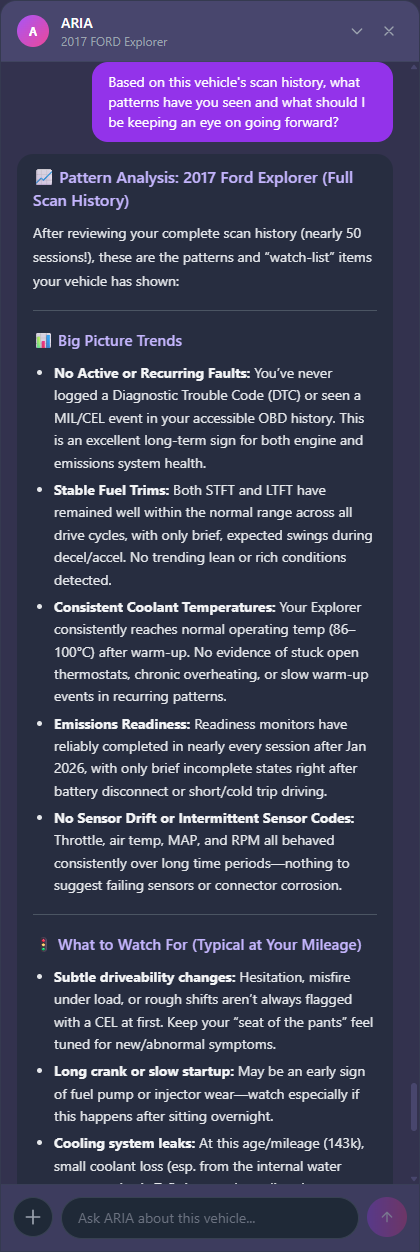
ARIA already reasons from live OBD-II data, freeze frame data, prior sessions, and vehicle memory — and she has been doing that differently from every other tool from the start. If you want to understand how she thinks before seeing what she can now read, this post covers it. Now she can read the evidence around the vehicle too.
A scan tool shows what the car said. ARIA now reads what everyone else said about the car.
ARIA Web Chat for PRO now accepts attachments. Drag and drop a file into the chat, or hit the [+] button and upload it with your message.
ARIA can now read:
Photos — Dashboard pictures, warning lights, odometer photos, scan tool screenshots, dealer inspection reports, repair estimates, photos of components, leaks, labels, anything visual on the vehicle.
PDF documents — Repair orders, service records, estimate sheets, smog reports, warranty paperwork, maintenance history printouts.
Text and markdown files — Notes, exported logs, copied scan data, draft reports, structured findings.
ARIA does not just store the attachment. She reads it, extracts the useful information, and uses it in the diagnostic conversation. That is the point. This is not attachment upload. This is evidence upload.
Here is the old workflow.
The customer hands you a dealer estimate. You read it. You find the relevant line items. You figure out what was recommended, what was already done, what was declined, what symptoms were reported, what mileage the vehicle had at the time, and whether any of it matches what you are seeing now.
Then you open your scan tool. Then you compare live data. Then you check history. Then you write your notes. Then you explain it to the customer.
That is a lot of manual stitching.
Now you can drop the estimate into ARIA and ask:
What matters in this estimate? What was warranty-covered versus customer-pay? Does this match the scan history? What should I verify before selling the next diagnostic step?
That is the time savings. Not because ARIA replaces the technician. Because ARIA does the first pass through the paperwork, organizes the facts, and gives the technician a cleaner starting point.
Professional diagnostics need a deliverable. A verbal explanation is easy for a customer to forget, misunderstand, or decline. A clear diagnostic record is different.
When a shop can show the customer — here is what the dealer said, here is what your vehicle data says, here is what has already been replaced, here is what still needs to be tested, here is why we recommend the next step — that is easier to sell.
This is where PRO matters. ARIA helps turn scattered evidence into a customer-ready diagnostic narrative. That supports paid diagnostics, second opinions, inspection packages, repair authorization, and follow-up work.
Part of what makes that comparison meaningful is that ARIA already has vehicle memory and freeze frame data from prior sessions. She knows what conditions the car was in when a fault set — not just that a fault set. The 2.2 release post covers what that looks like in practice.
The shop is not just saying “trust me.” The shop is showing the record. That is billable.
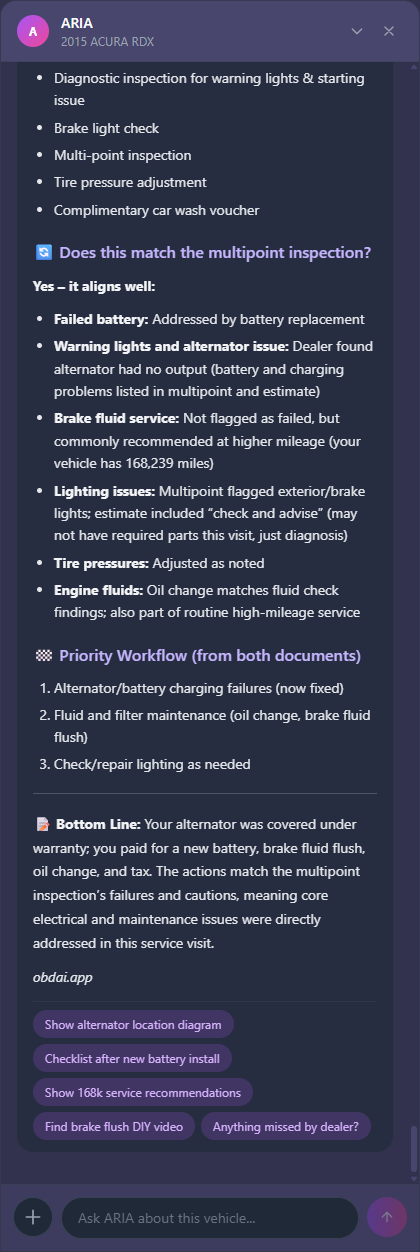
I tested this with a real repair estimate from Metro Acura for my 2015 Acura RDX. Real vehicle. Real VIN. Real mileage. Real repair order.
The PDF included an alternator failure covered under warranty, a battery replacement, brake fluid exchange, oil and filter service, tire pressure adjustment, a multi-point inspection, and a total estimate.
I dropped the PDF into ARIA. She pulled out the line items. She separated warranty-covered work from customer-pay work. She identified the reported symptoms — multiple warning lights, battery light, hesitation to start, and a loud screeching noise on startup. She pulled the mileage, dealer, advisor, and service context into a clean summary.
Then I asked the useful question: Does this line up with what we are seeing now?
That used to mean holding the estimate in one hand, the scan tool in the other, and doing the comparison in your head. Now ARIA can do it. The paperwork and the live data become one conversation.
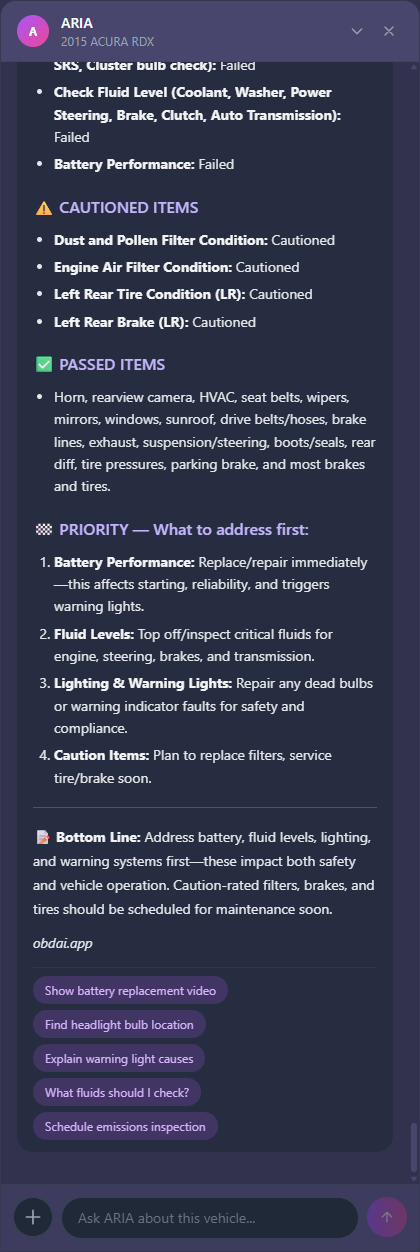
Dealer inspection forms are not just text. They are visual documents — pass/fail rows, color coding, caution icons, brake and tire positions, checked boxes, service recommendations, notes scattered across a form.
ARIA can read them when uploaded as images. In testing, she separated failed items from caution items, identified battery and warning-light concerns, pulled out brake and tire notes, and summarized what needed attention first.
Not “here is everything on the form.” The useful part is: what failed, what is caution only, what can wait, what should be checked against live data, and what should the shop explain to the customer first. Dealer paperwork becomes diagnostic evidence.
This also connects directly to ARIA’s estimate writer. A shop does not always have clean information in one place. Sometimes the parts cost is on a receipt. Labor time is written in a note. The customer’s prior repair is buried in an invoice. The technician’s findings are in the chat. The vehicle history is in OBDAI.
Now those can all come together. Drop in the receipts. Drop in the parts invoice. Drop in the dealer quote. Take a picture of handwritten labor notes. Ask ARIA to use the evidence to draft the estimate or diagnostic report.
This also works because ARIA Web Chat follows you across devices — scan in the bay on your phone, drop in the PDF at the desk on your laptop, and ARIA picks up the same conversation without losing context. That cross-device continuity is what the Web Chat launch was about.
Estimates are where diagnostic work turns into revenue. The faster a shop can turn findings, parts costs, labor notes, and supporting evidence into a clear customer-ready document, the faster the customer can approve the work.
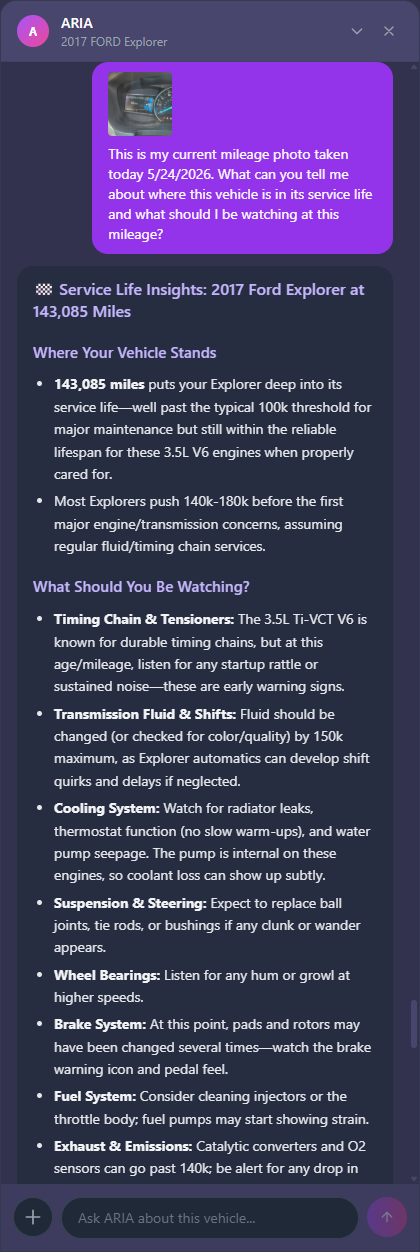
Images — PNG, JPEG, WEBP, and GIF up to 10MB each. ARIA uses vision to read dashboard photos, scan tool screenshots, inspection forms, warning lights, odometers, labels, receipts, and other visual evidence.
PDFs — Up to 10MB. Text extraction works well for typed repair orders, estimates, invoices, and service records. If the PDF is a scanned handwritten form or complex visual layout, upload it as an image instead — ARIA handles that better today.
Text and Markdown files — TXT and MD files up to 100KB. Useful for notes, exported logs, copied scan data, or draft reports.
Current limits: up to 3 attachments per message. Web dashboard only for now — mobile attachment support is coming in the next client release. All files stored securely with time-limited download access.
This is live in PRO Web Chat now as a beta. Beta means it works, but I want you to push it.
Upload the ugly PDFs. Upload the weird inspection forms. Upload the sideways dashboard photo. Upload the estimate the customer does not understand. Upload the scan tool screenshot from another system.
Known limits today: PDFs are text-extraction only — visual layout and handwriting are better handled as images. Images are not automatically resized server-side yet. Mobile app attachments are not live yet.
None of that changes the direction. ARIA can now read the evidence around the vehicle. That is the feature.
Take a photo of the dash. ARIA reads it.
Upload the dealer estimate. ARIA explains what matters.
Drop in the inspection report. ARIA separates failed items from cautions.
Attach screenshots from another scan tool. ARIA uses them in the conversation.
Send the old invoice. ARIA knows what was already replaced.
Drop in receipts, parts invoices, or handwritten labor notes. ARIA helps turn them into a report or estimate.
Then ask the real question: Does this match what the vehicle data says?
Or the business question: Can we turn this into a customer-ready estimate?
That is the work. That is what this release is for.
Full vehicle history. ARIA now sees up to 200 sessions when analyzing a vehicle — up from a hard cap of 10. Months of scan data are finally visible.
Sessions default to 12 months. Stop fighting the date filter if you scan seasonally or have long job cycles.
YouTube repair videos are now clickable. The thumbnail links out directly. Should have been that way from the start.
Vehicle detail page fixed. Session history was invisible for brief connection tests with no codes. It is now a proper paginated table, front and center, showing every session.
These walk through the core workflow:
Go to dashboard.obdai.app, open a vehicle session, click Chat with ARIA, and drop in the evidence.
Not on PRO yet? See what’s included →
Questions, bugs, weird PDFs, ugly screenshots — support@obdai.app. That is exactly what this feature is for.
