Description
For Shops & Mobile Mechanics
OBDAI PRO — The Professional Diagnostic Platform
Branded Reports. Web Dashboard. Vehicle Intelligence.
⚡ GEN 2 Scanner Included | 📦 FREE U.S. Shipping | 🔄 1 Year PRO Access
One paid diagnostic job covers the entire year.
This Changes How You Operate
OBDAI PRO isn’t more buttons on a scan tool. It’s a professional diagnostic platform that gives you the authority, the presentation, and the workflow to charge for your expertise.
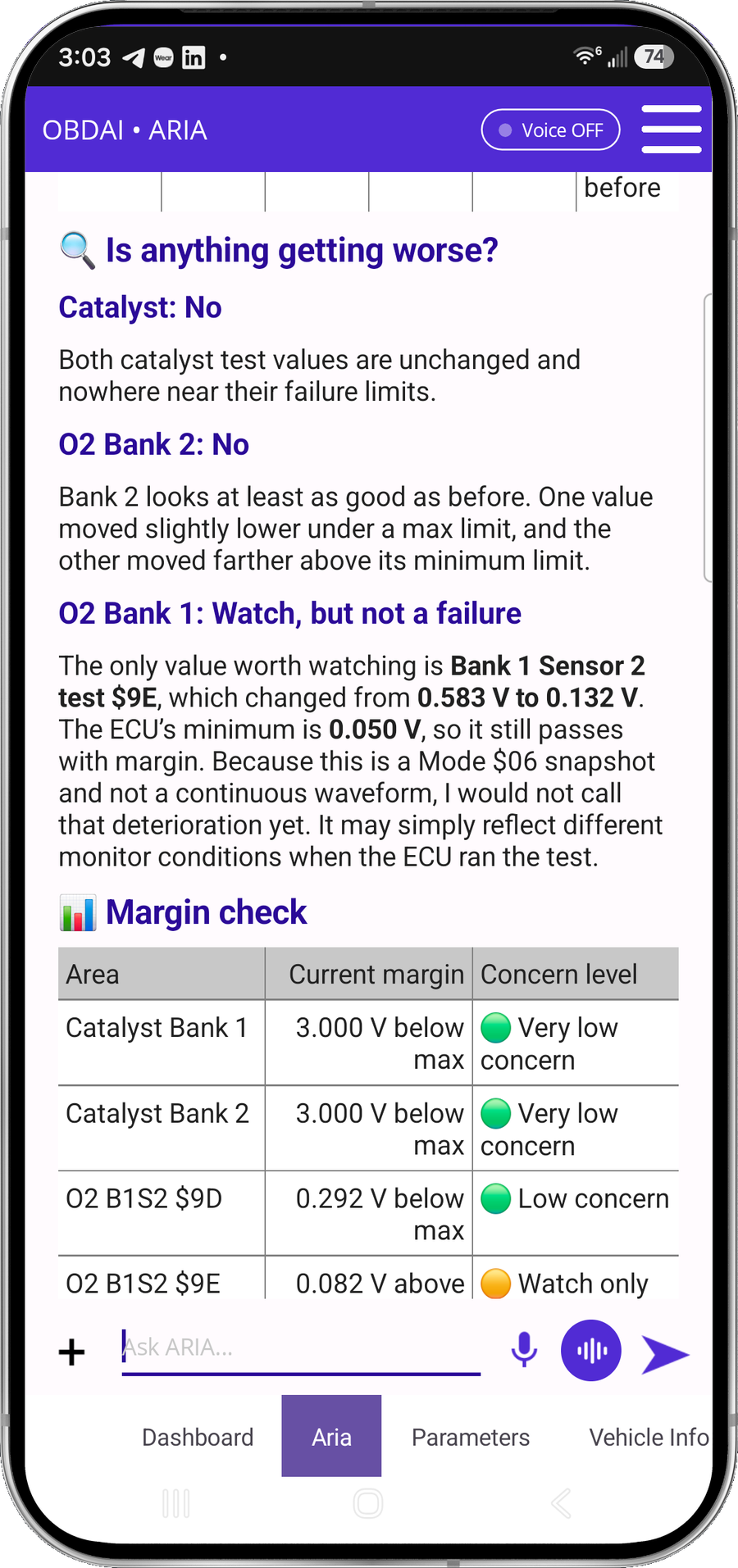
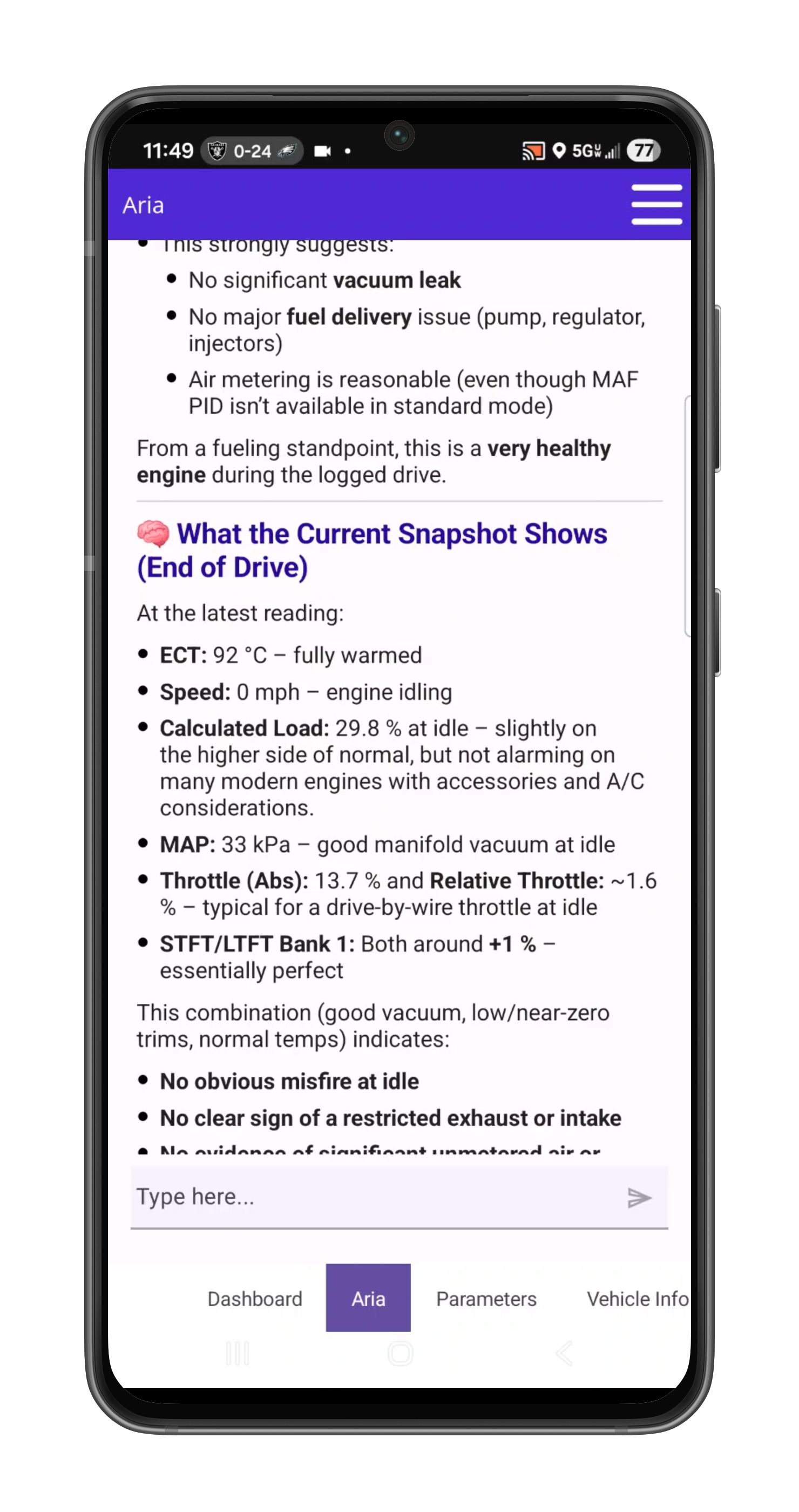
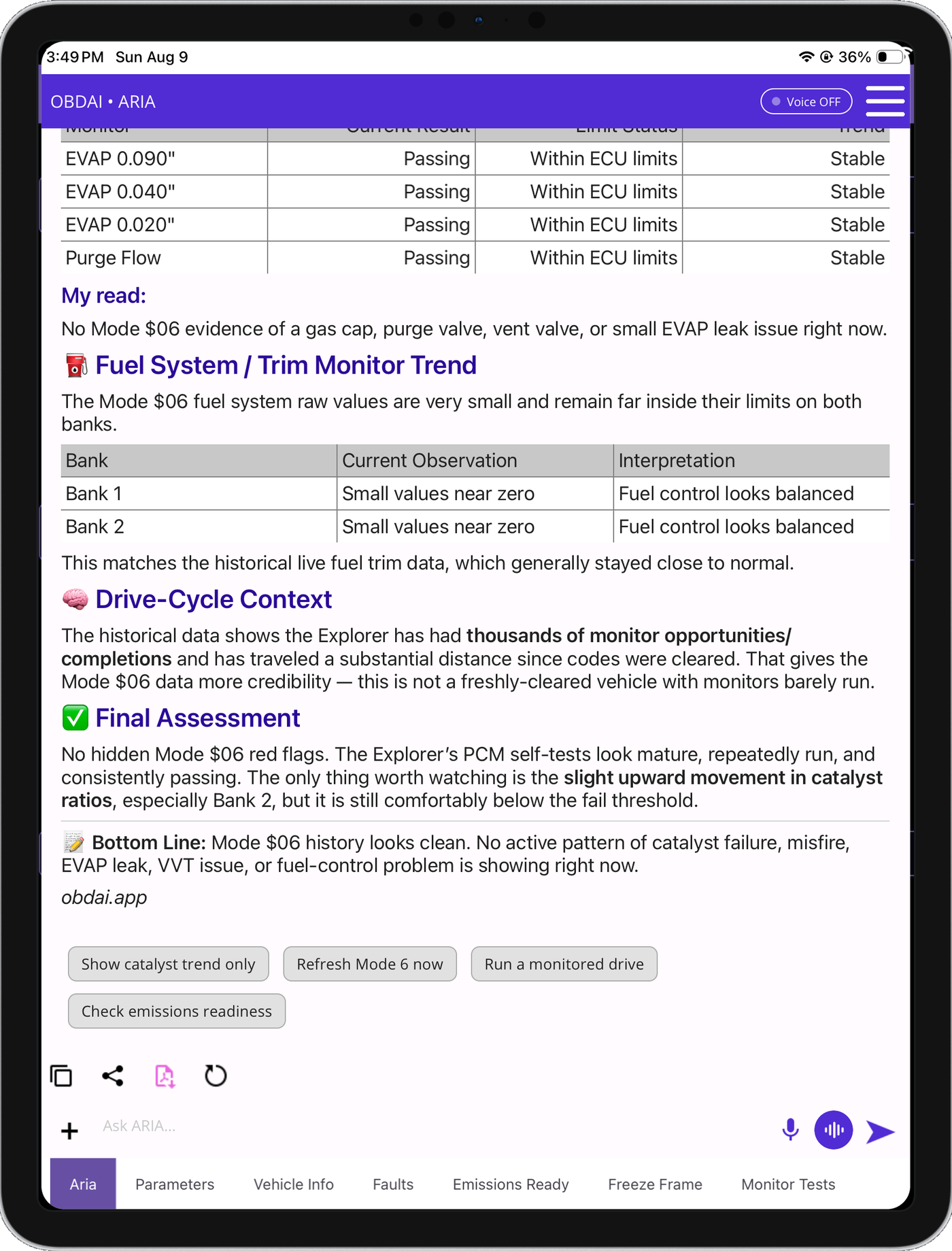
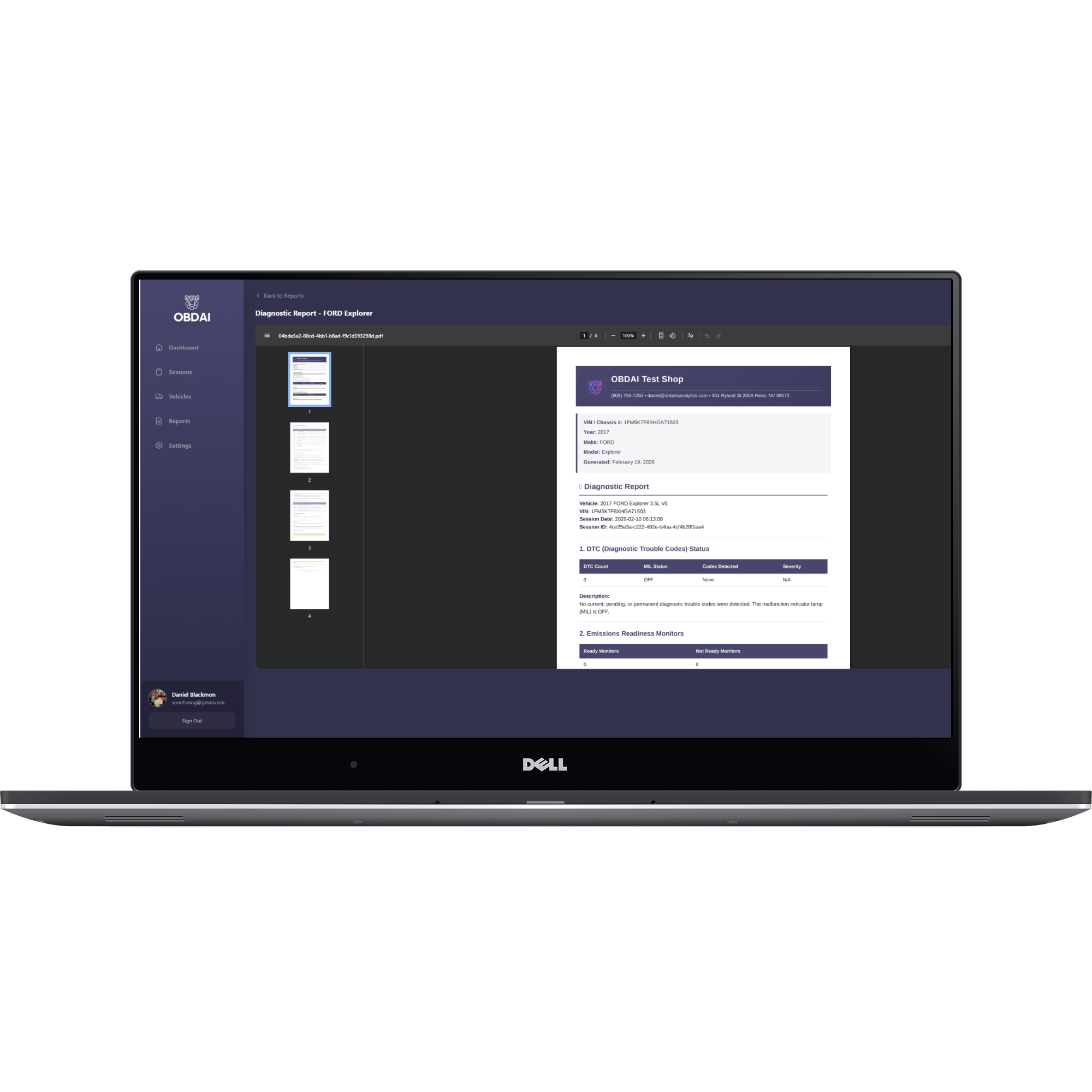
Generate branded diagnostic reports with your shop logo. Review sessions from any browser on the web dashboard. Let ARIA — powered by the most advanced AI models available — capture every second of telemetry and tell the story: what’s wrong, why it matters, and what to do about it.
You don’t sell data. You sell confidence. Fewer mistakes. Faster decisions. Clear explanations. Professional documentation. That’s what PRO gives you — and confidence is monetizable.
A Real PRO Diagnostic Session
2015 Chevrolet Express 2500 4.8L — P0101 / P0171 / P0174 / P0449
ARIA — after drive test
“Both banks are affected almost equally. Under load, LTFT climbed to ~29.7% on both banks. That makes a bank-specific intake gasket leak less likely and points more toward a shared cause — unmetered air after the MAF.“
TECH
“I found an intake leak.”
ARIA
“That fits the data perfectly. A leak after the MAF lets in unmetered air — both banks go lean. That explains P0171 + P0174 together and a likely false P0101.“
ARIA — final clean test verdict
“The intake leak repair worked.” LTFT dropped from ~+29.7% to +8–10% on both banks.
Before
+29.7%
LTFT both banks
After
+8–10%
LTFT both banks
TECH
“Very good. I manually tested the vent solenoid and it was in fact faulty so I am confident this fixed it. Awesome, thank you!“
Real OBDAI PRO session. The tech almost replaced a MAF sensor — ARIA’s fuel-trim analysis sent him to the actual leak instead.
✨ Now Available
Enhanced Repair Estimates Builder
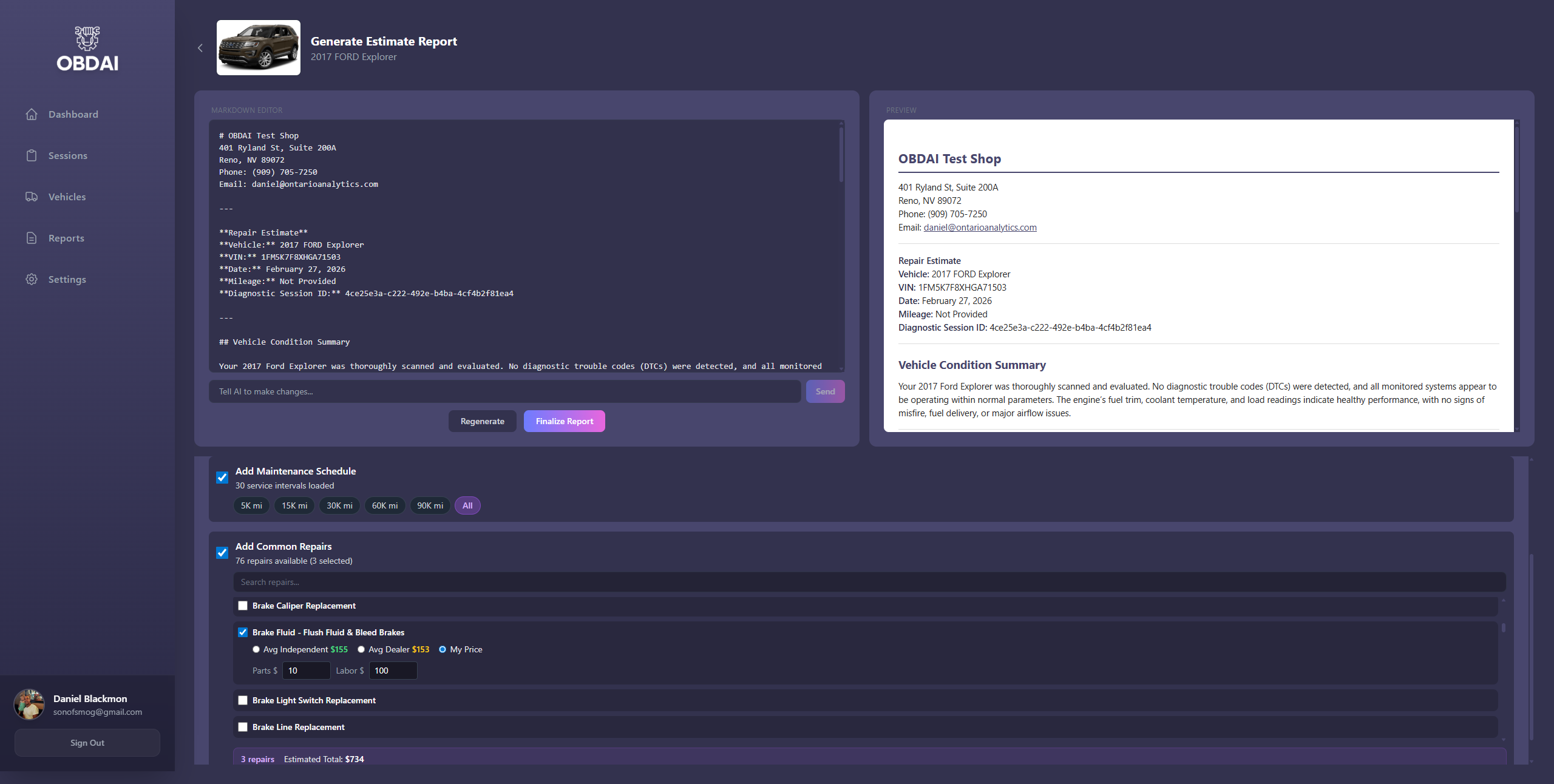
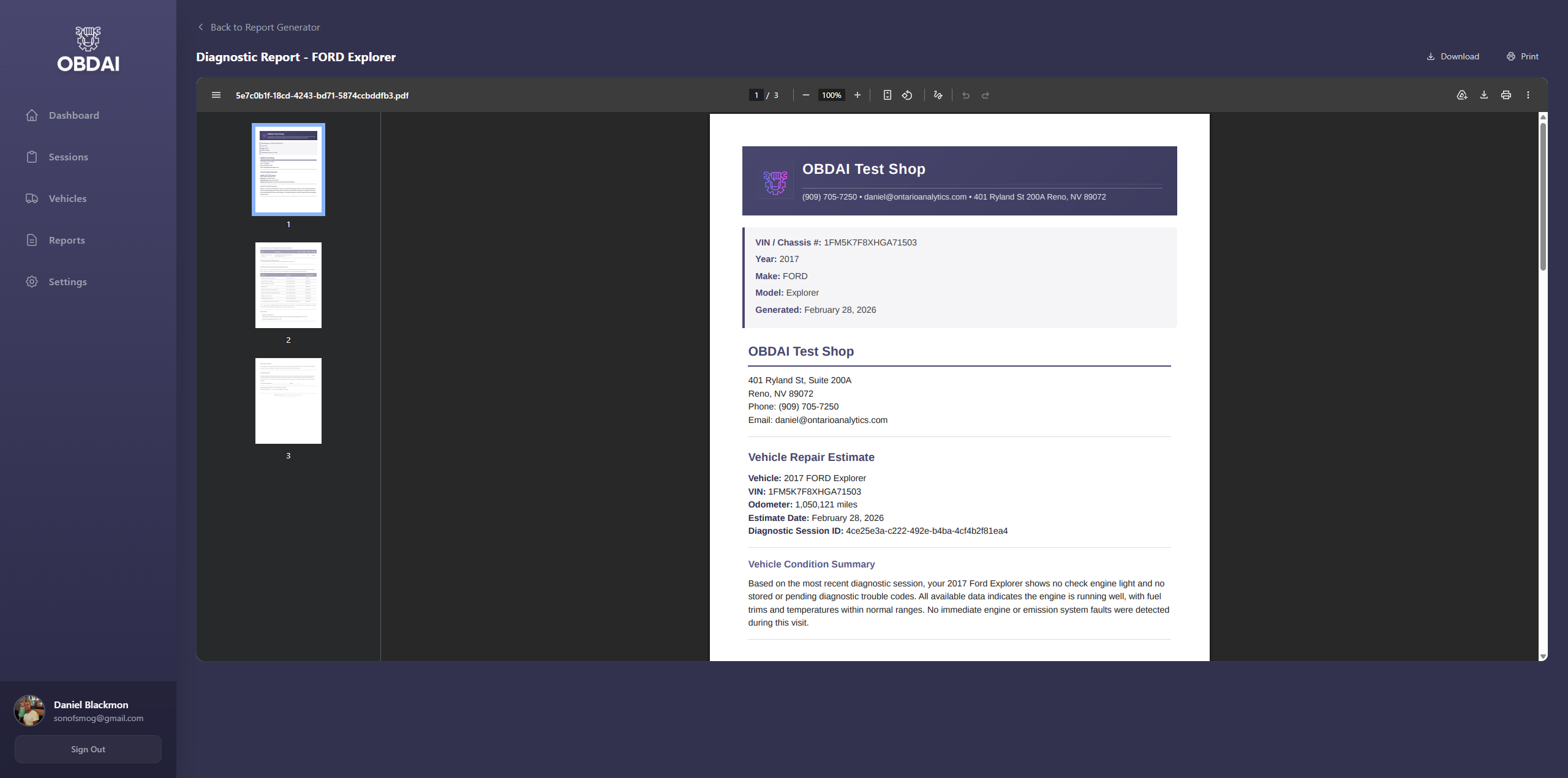
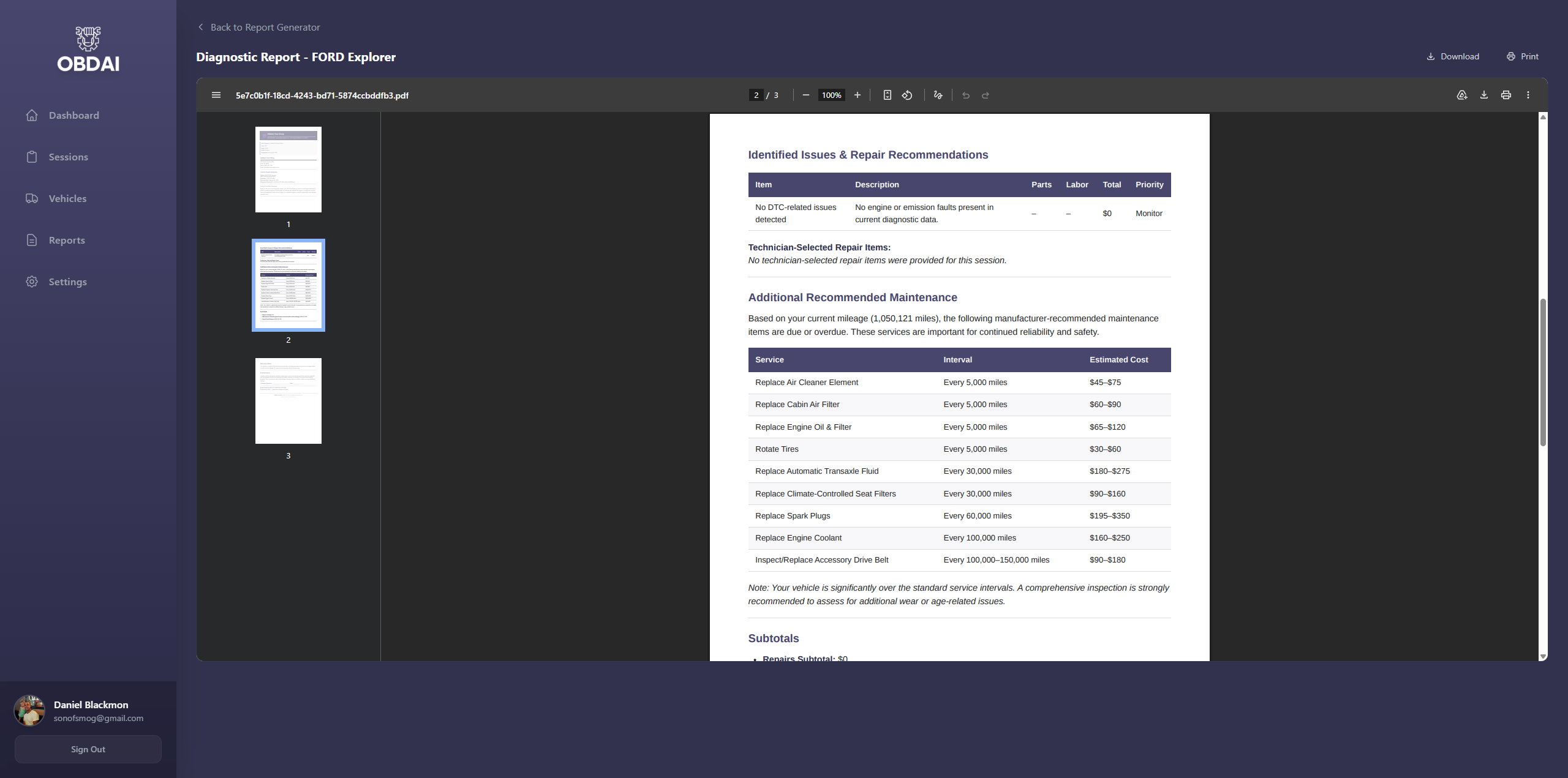
ARIA now generates customer-ready service documents — not just diagnostic reports. Every PRO report can include:
🔧
Repair Estimates
Real pricing for identified issues — parts & labor ranges your customer can understand
📋
Maintenance Schedule
Mileage-based service items injected automatically — 100K service, timing belt, fluid changes
✍️
AI Edit & Print
Tell ARIA to adjust estimates, add notes, remove items — then print from any computer
Scan from your phone. Edit and print customer reports from your computer.
One signed estimate covers your entire year of PRO. Everything after that is yours.
🔓 What PRO Unlocks
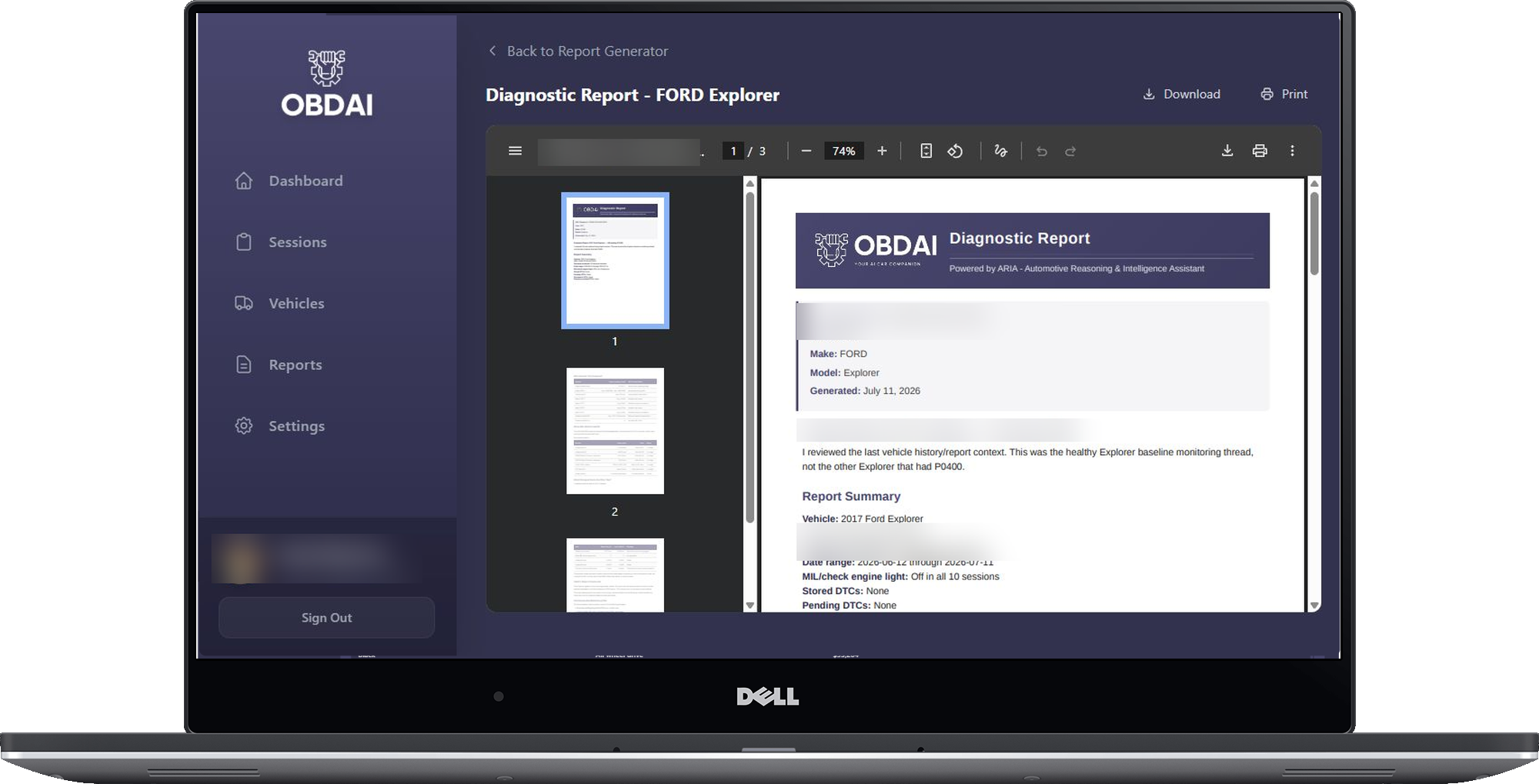
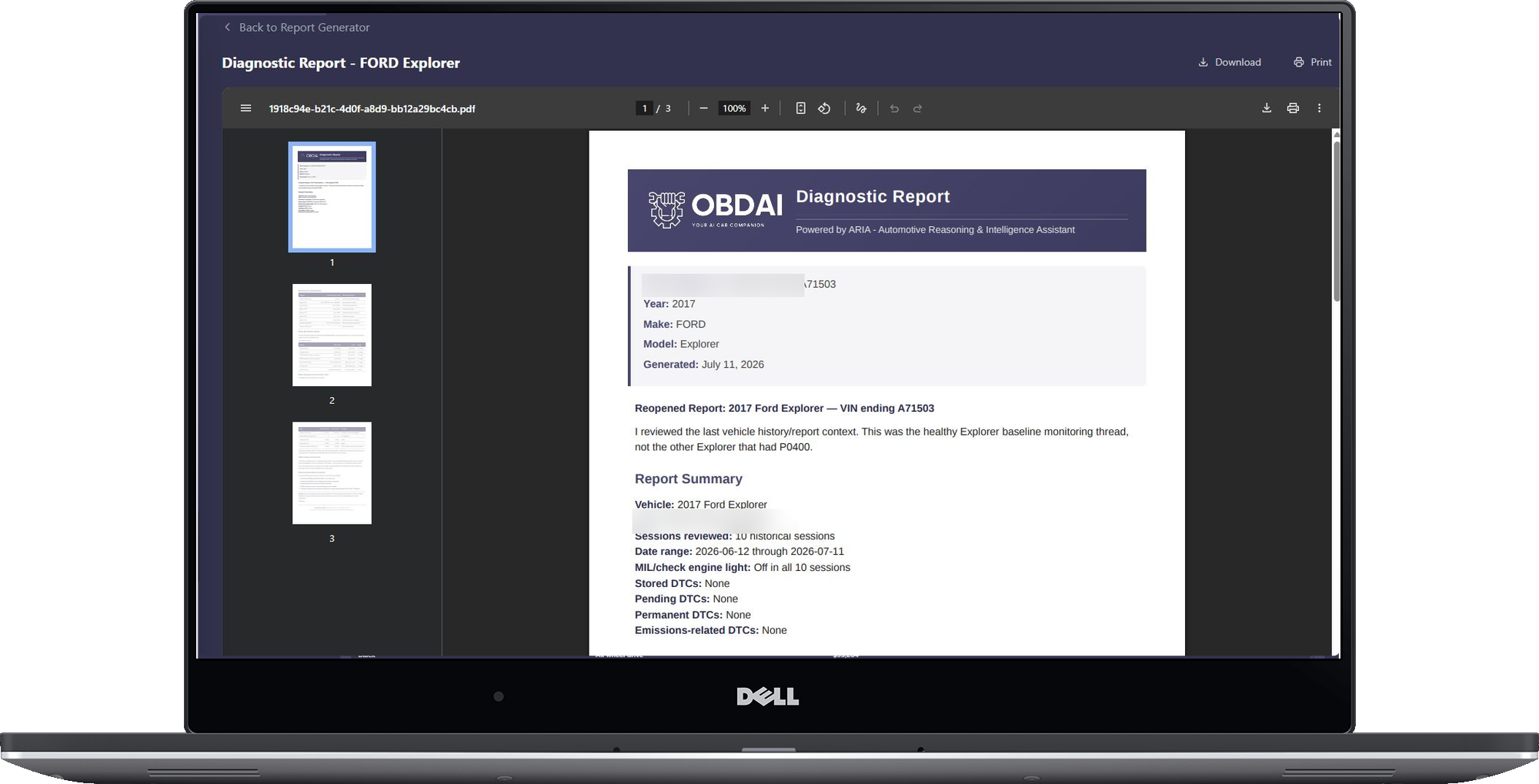
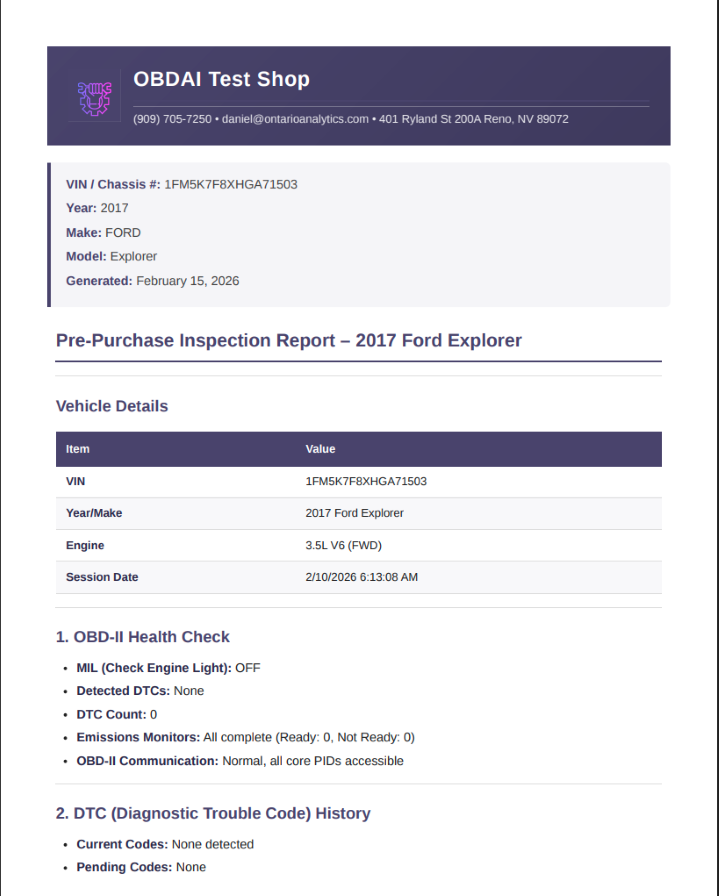
📄 Branded Diagnostic Reports
Your logo. Your shop name. Your phone number. On every report you generate. Hand a customer a professional PDF and they understand why the diagnostic fee exists. This isn’t cosmetic — it’s a revenue tool. You look organized, serious, and trustworthy. That’s how you justify $100+ diagnostic fees.
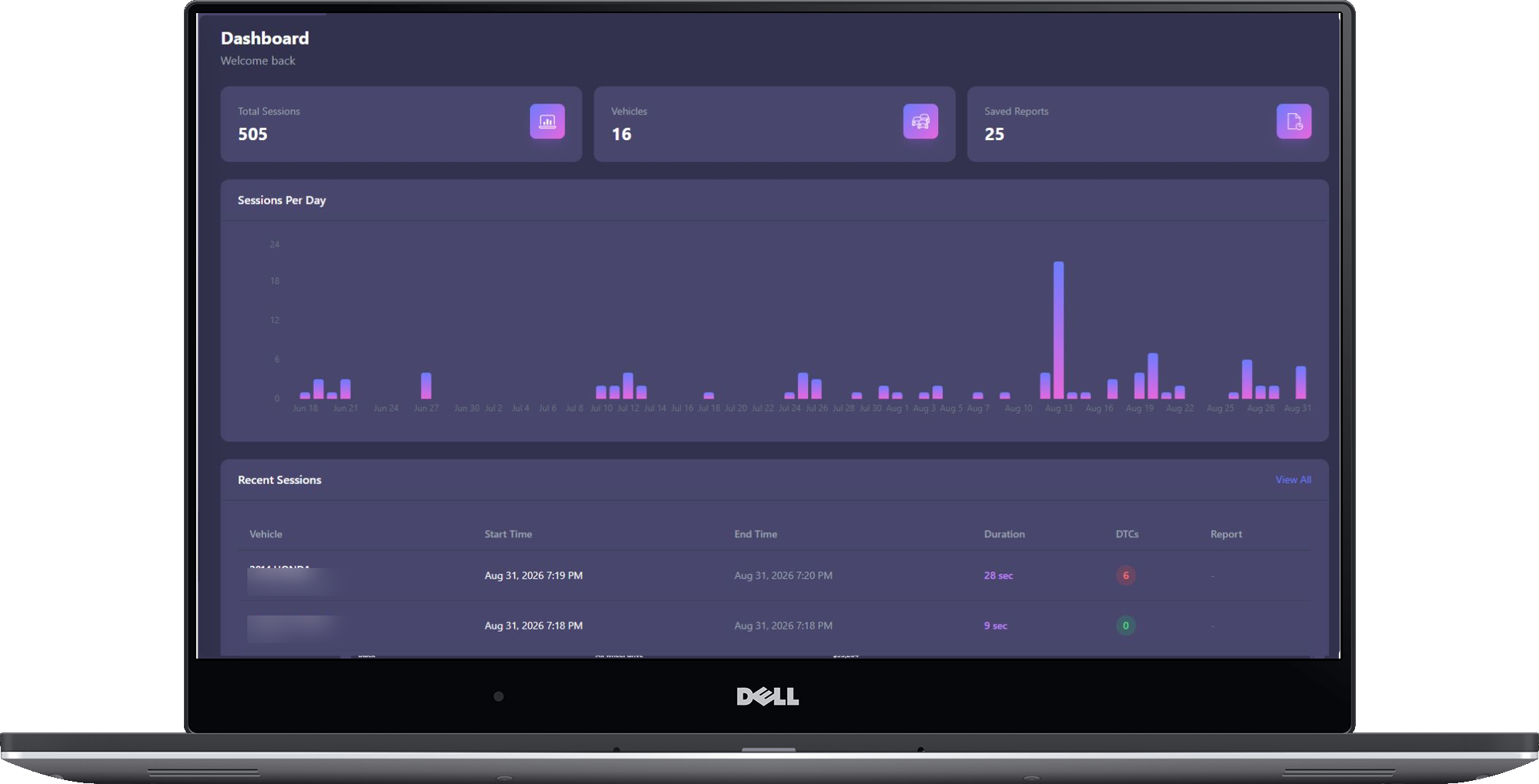
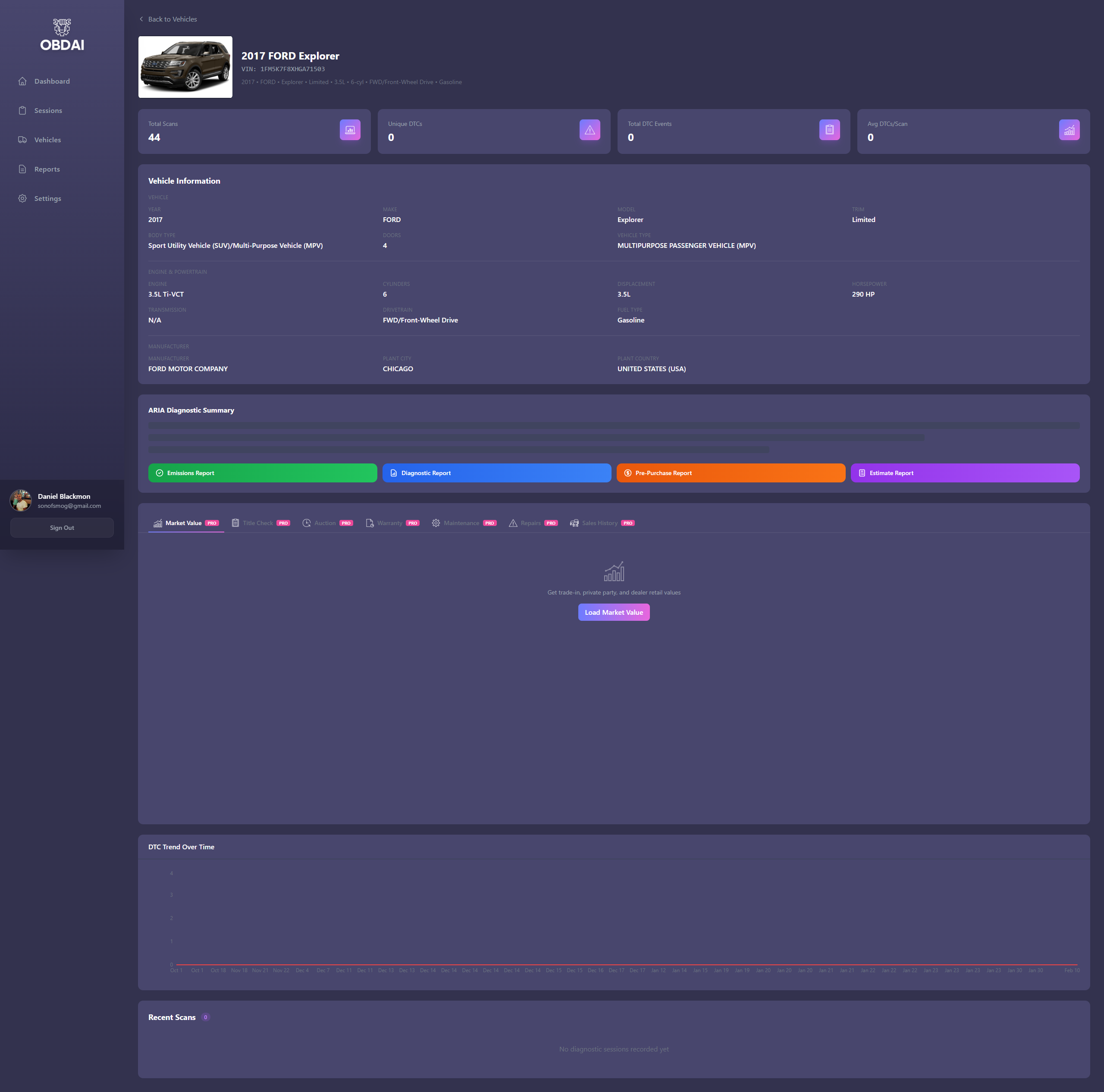
🌐 Web Dashboard
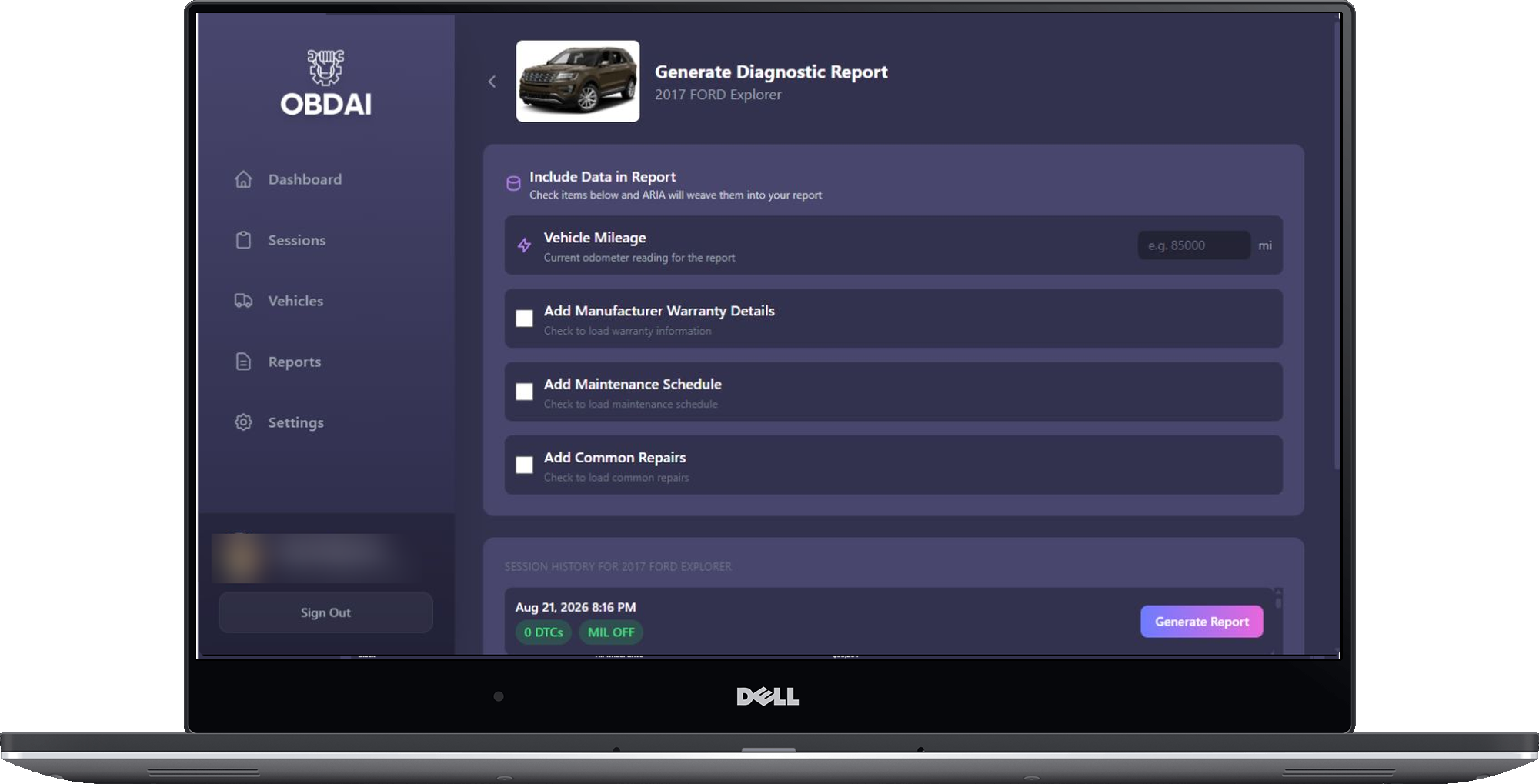
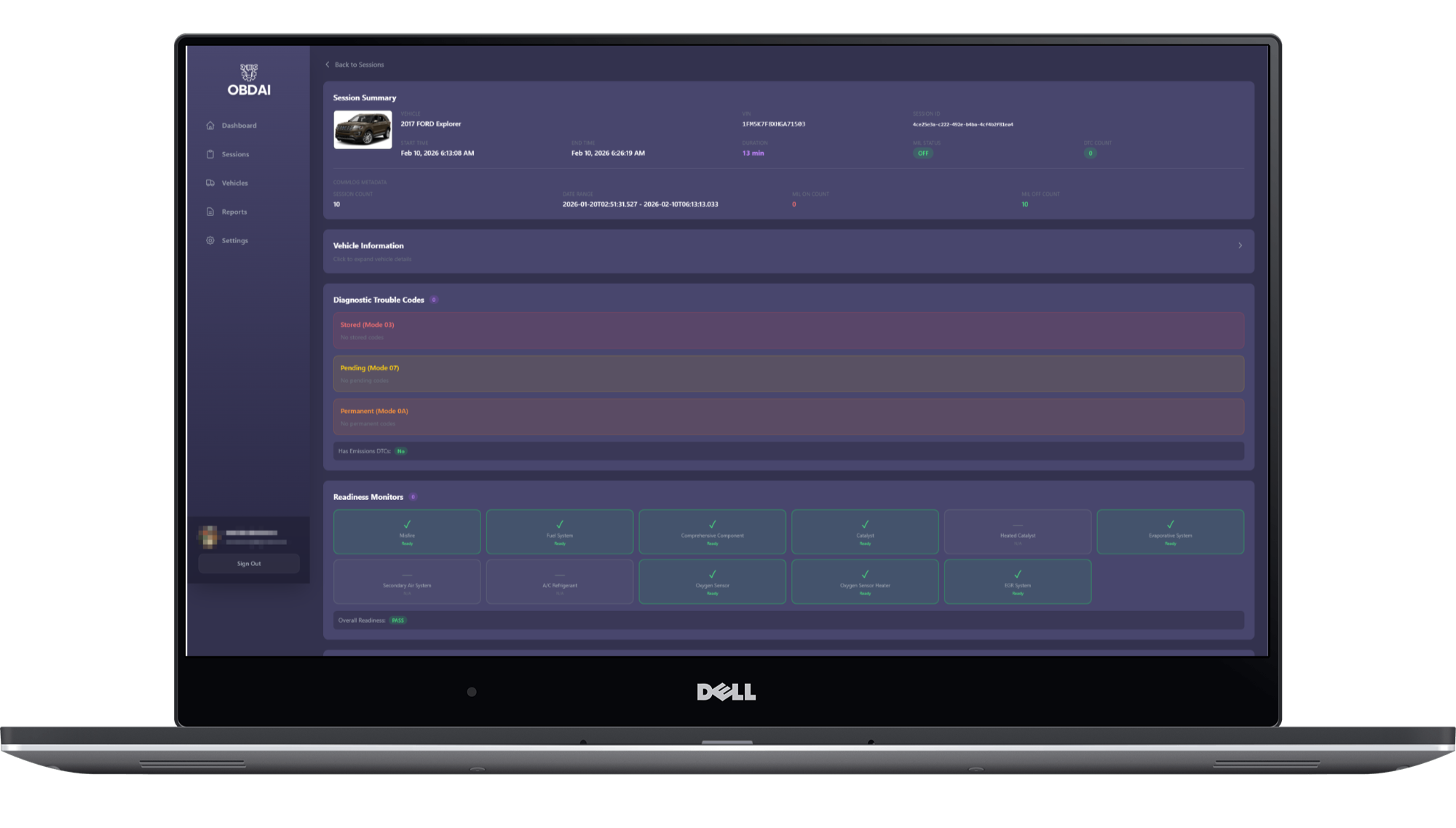
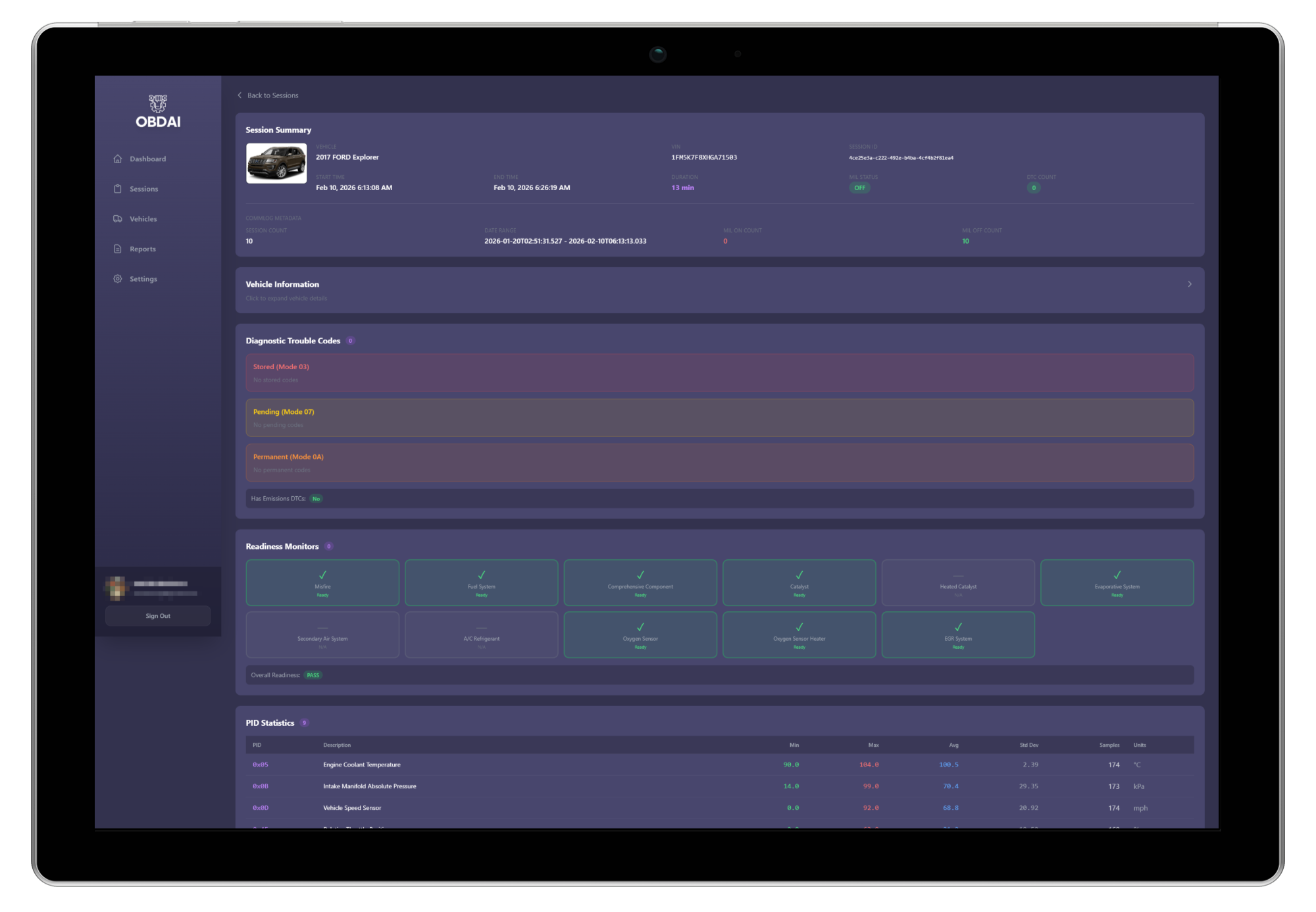
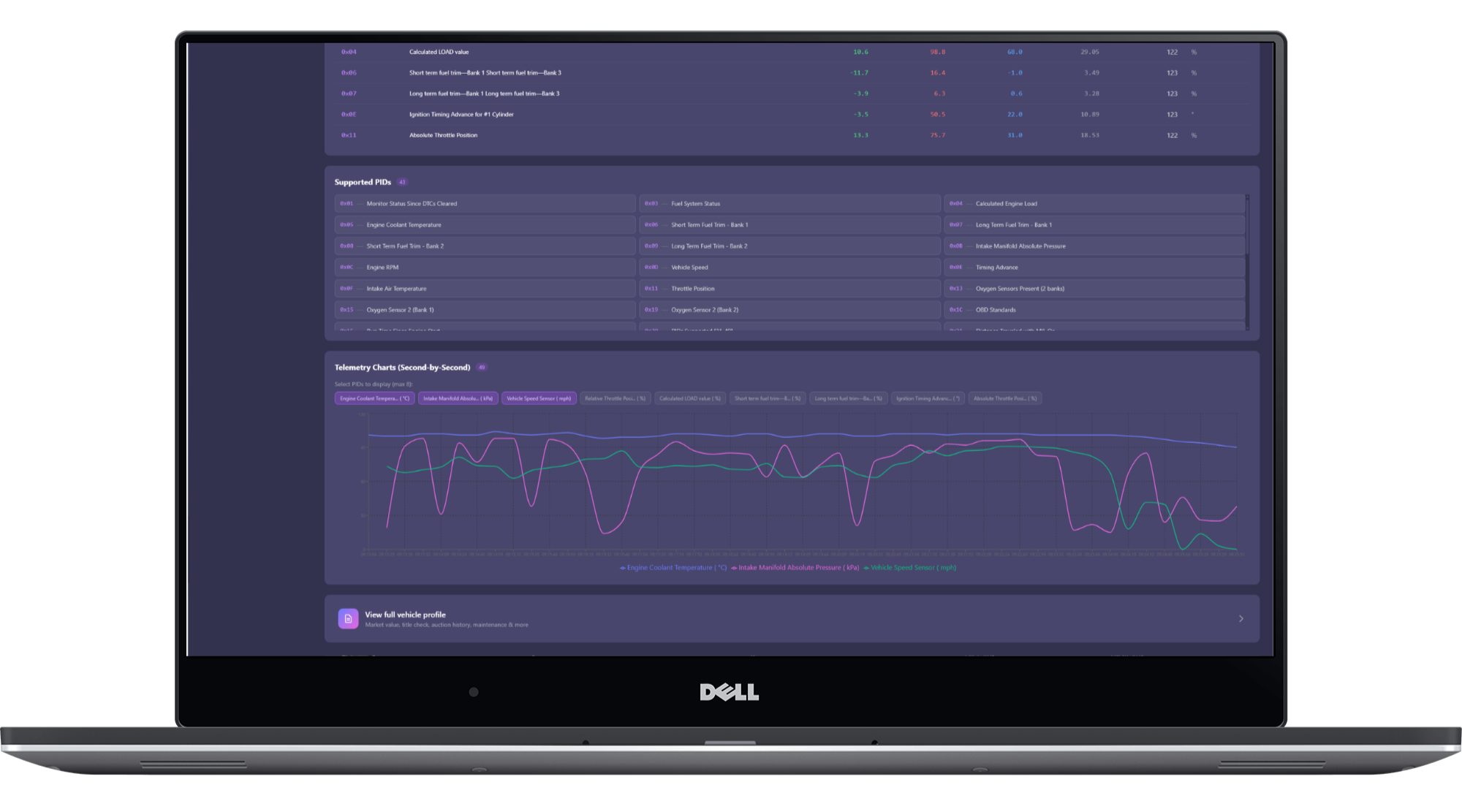
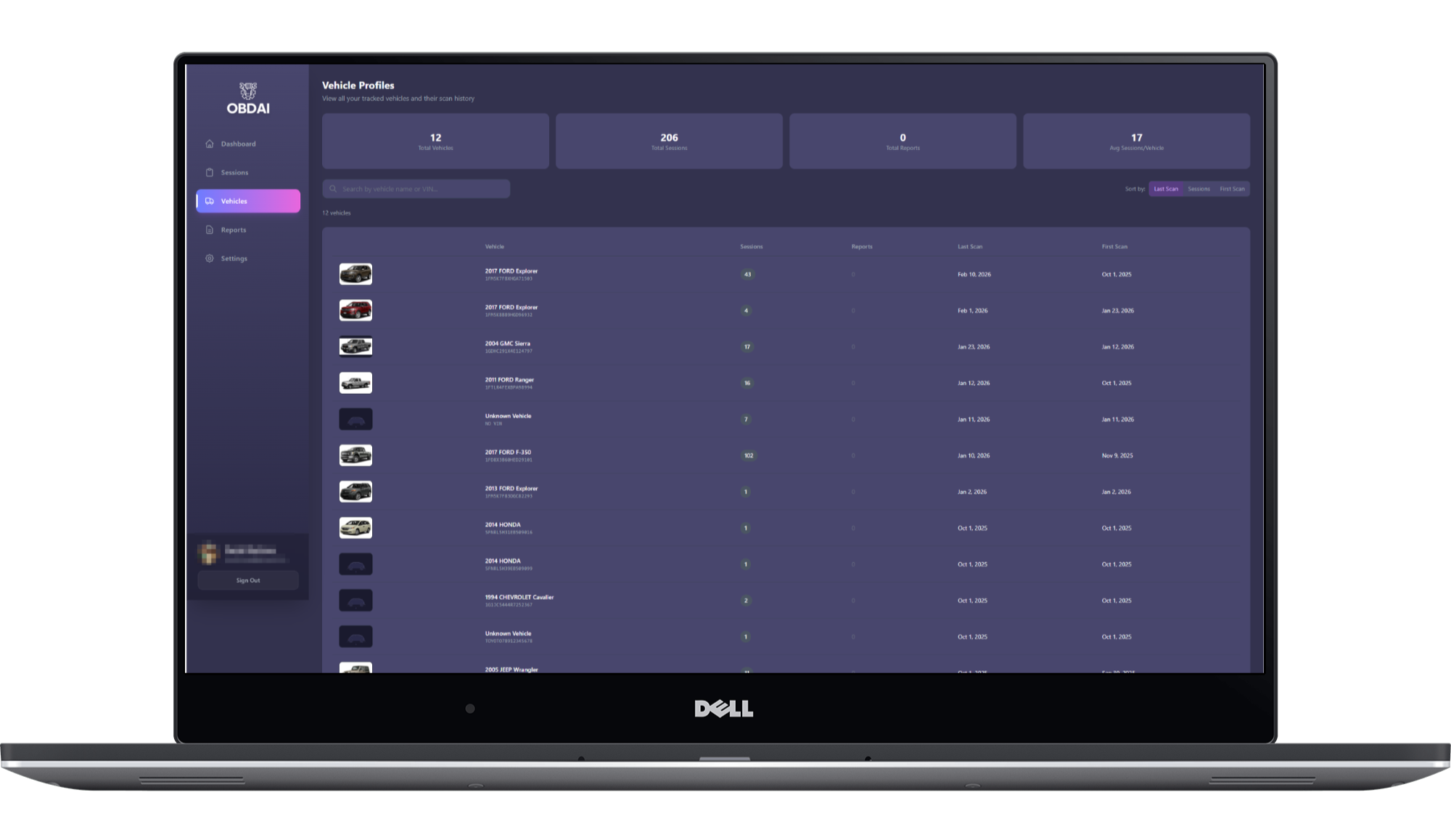
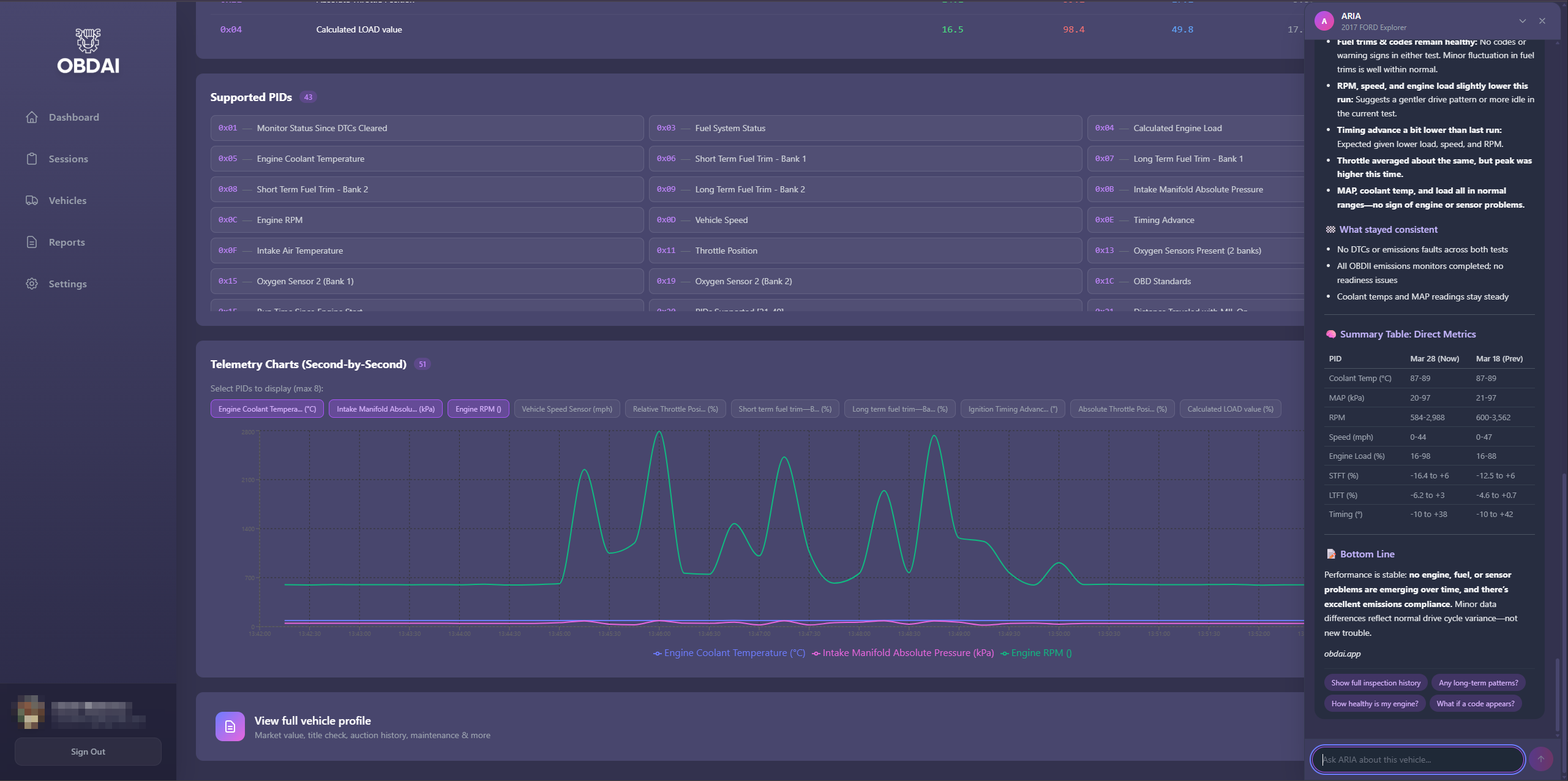
PRO is not an app upgrade. It’s cloud-backed infrastructure. View every vehicle, every session, every second-by-second chart from any browser. Generate and edit reports from your desk. Search your diagnostic history. Compare vehicles side by side. Capture in the field. Reason later at your leisure. That philosophy scales to fleets, multi-vehicle shops, and long diagnostic sessions.
💬 ARIA Web Chat with Memory
Talk to ARIA from any browser — not just the app. Start a conversation on your phone in the field, pick it up on your laptop at the desk. ARIA remembers every prior conversation about the vehicle: what was asked, what was answered, what you told it, what it already diagnosed. No repeating yourself. No lost context. Your entire diagnostic history with that vehicle is always at ARIA’s fingertips, layered on top of the real-time telemetry data. This is continuity no scan tool offers.
✍️ AI Report Editor
Generate reports from the web with a full markdown editor and live preview. Tell the AI to make changes — “add the customer’s complaint,” “emphasize the safety concern,” “rewrite the recommendation.” ARIA builds the narrative from your real diagnostic data. You edit and polish. The result is a professional report no scan tool printout can match.
🔍 Vehicle Intelligence
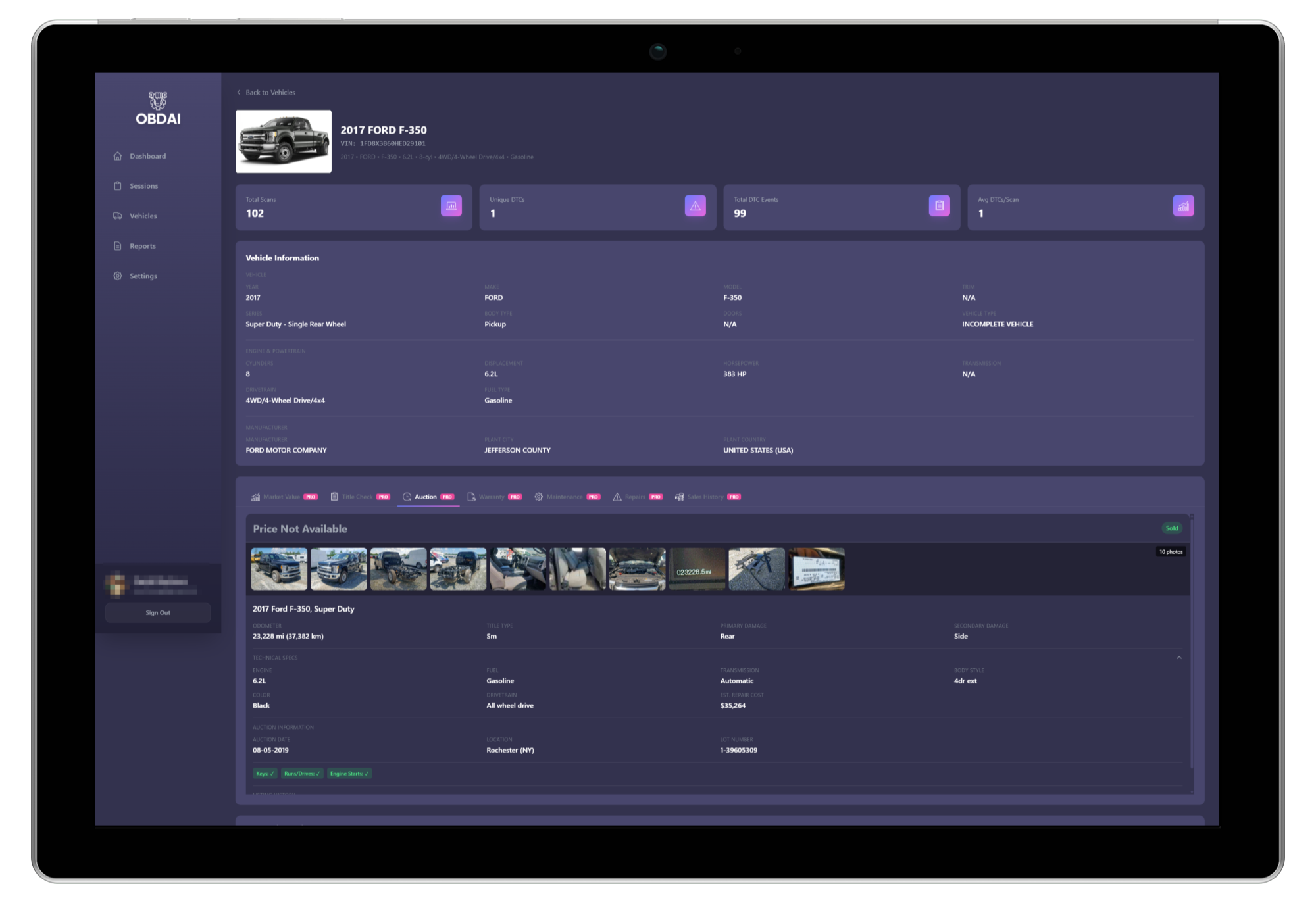
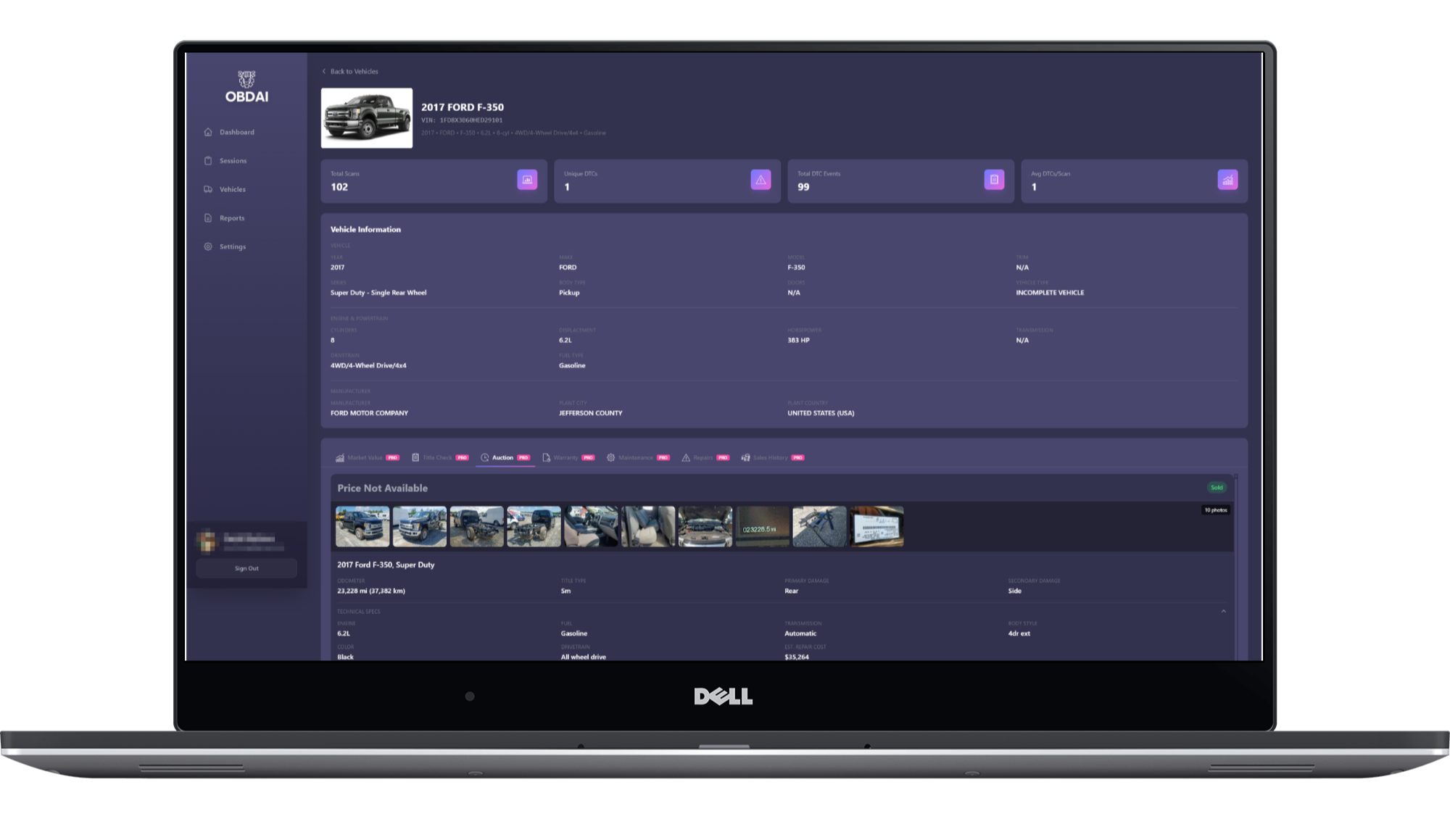
Go beyond the scan. PRO includes full vehicle intelligence — market value (trade-in, private party, dealer retail), title checks, auction history with photos and damage details, warranty status, maintenance schedules, common repairs, and sales history. Opt in per report and ARIA weaves the data into your diagnostic narrative. Know what the vehicle is worth. Know what it’s been through. Know what it needs.
♾️ Unlimited PDF Reports
No caps. No counting. Scan 10 cars a day, generate 10 reports. Every report is branded with your shop identity and backed by real telemetry data and AI analysis. Premium users get reports too — but PRO removes the limits because this is how you run a business, not a hobby.
🧠 Capture First. Reason Later.
Long, fat diagnostic sessions. Full telemetry. Second-by-second data streaming across every parameter the vehicle reports.
Then ARIA goes to work — AI reasoning, pattern spotting, cross-referencing historical sessions, building charts, telling a story. The mechanic doesn’t stare at numbers. ARIA tells you what you need to know.
That’s AI done right. Not a chatbot bolted onto a code reader. An agent that captures everything, reasons autonomously, and presents conclusions you can act on — and hand to a customer.
📦 What’s In The Box
🚀 OBDAI PRO Software (1 Year)
Everything in Premium, plus the professional toolkit:
- Unlimited ARIA AI conversations
- ARIA Web Chat — talk to ARIA from any browser, with full conversation memory and cross-device continuity
- Drop photos, inspection reports, and repair estimates into the chat — ARIA reads them and reasons over them alongside your vehicle’s stored diagnostic data
- ARIA remembers all prior conversations per vehicle — what was asked, answered, and diagnosed
- Unlimited branded PDF diagnostic reports
- Custom shop branding (logo, name, phone, email, address)
- Web dashboard — generate, edit, and review reports from any browser
- AI-powered report editor with markdown and live preview
- Vehicle intelligence: market value, title check, auction history, warranty, maintenance schedules, common repairs
- Vehicle history injection into reports (opt-in per report)
- Full diagnostic history with trend analysis and second-by-second charts
- Autonomous PID selection and guided diagnostics
- Visual repair assistant with step-by-step videos
- Vehicle recall data and comparison tools
- EU VIN/Chassis decoding
- Cloud sync across all devices
- Priority support
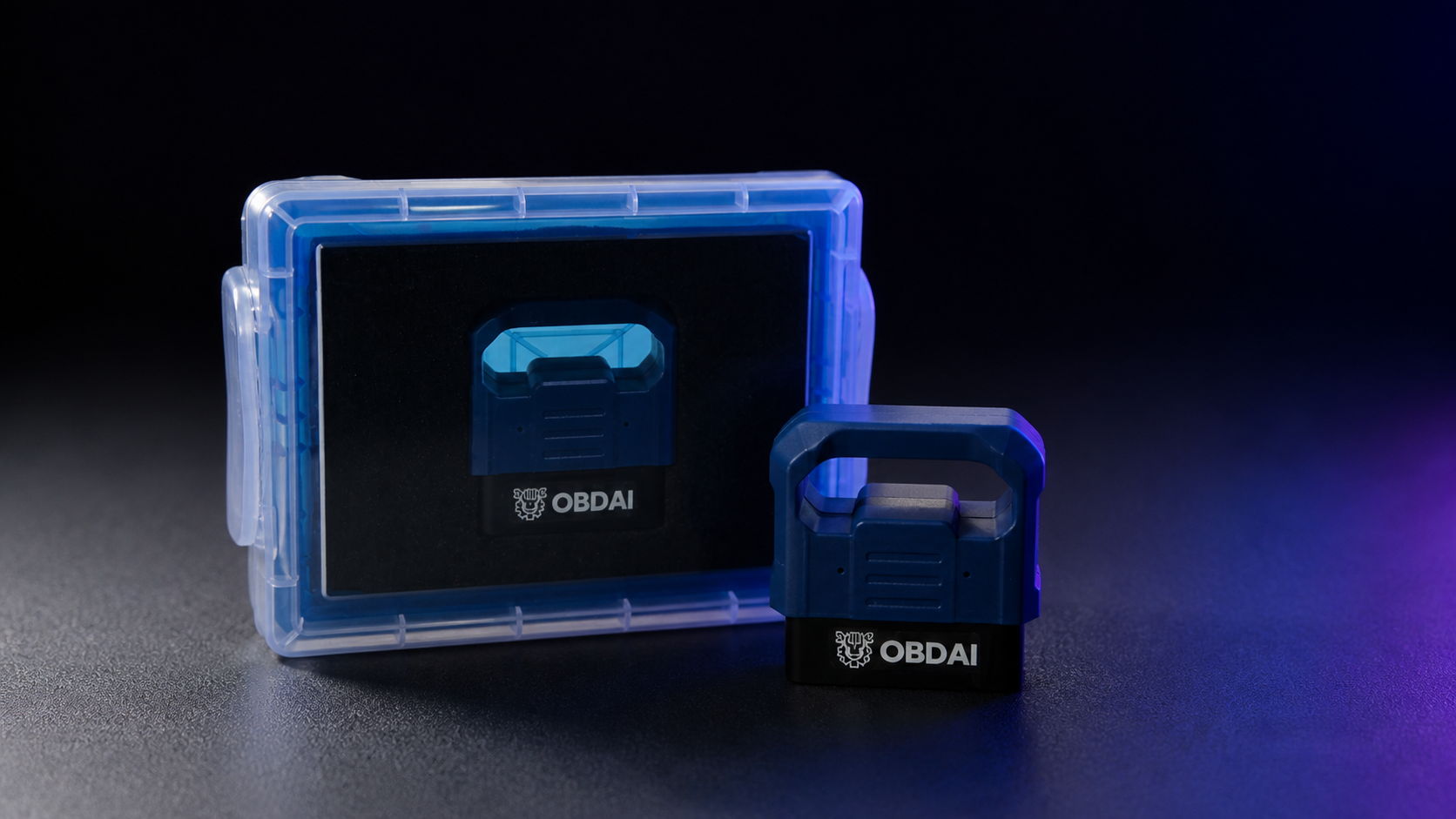
⚡ Professional GEN 2 OBD2 Scanner
- Advanced 25K80 chip with Bluetooth 5.0 for faster, more stable connections
- Multi-protocol support — SAE J1850 PWM/VPW, ISO9141-2, ISO14230-4 KWP, ISO15765-4 CAN
- Works with 1996+ gasoline vehicles, 2004+ diesel
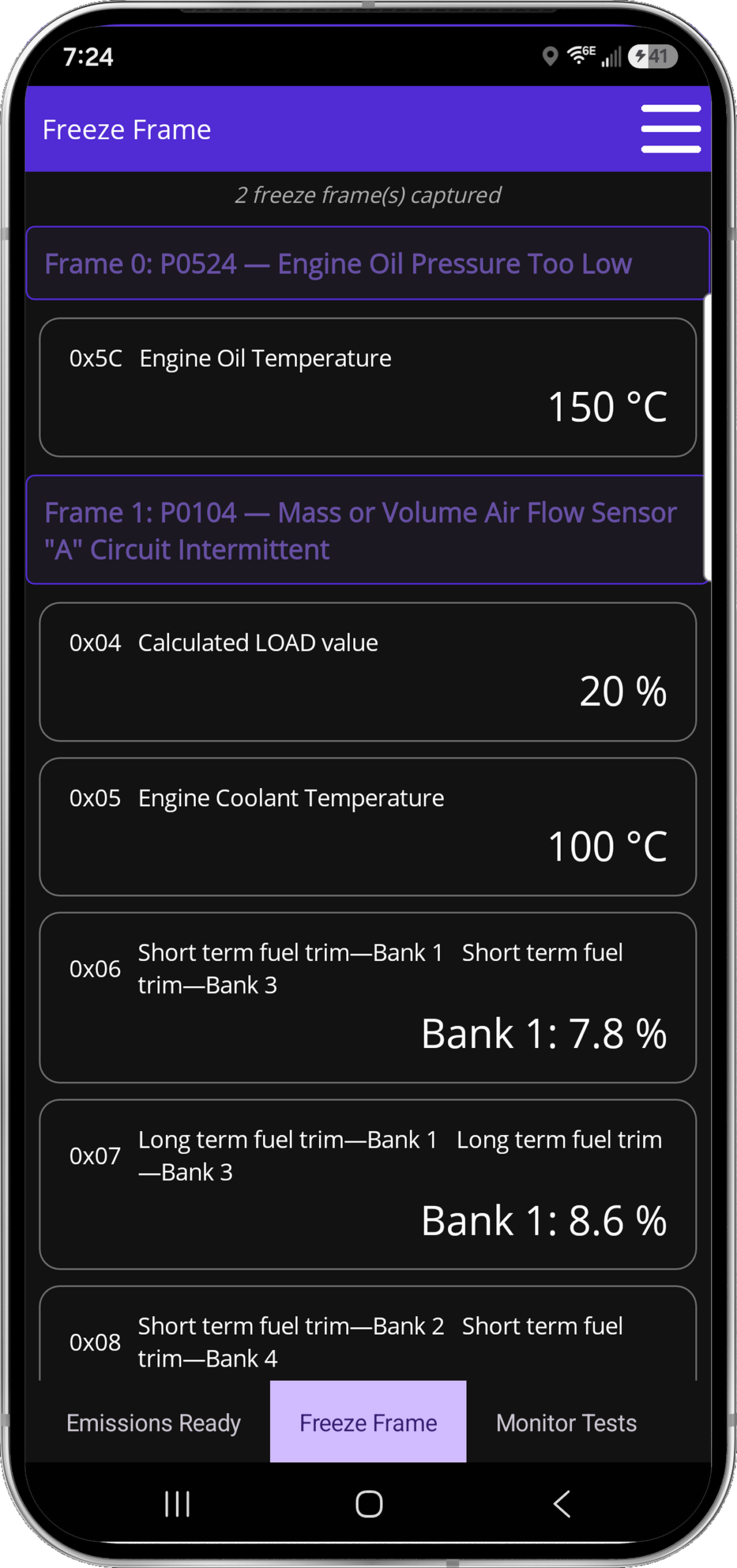
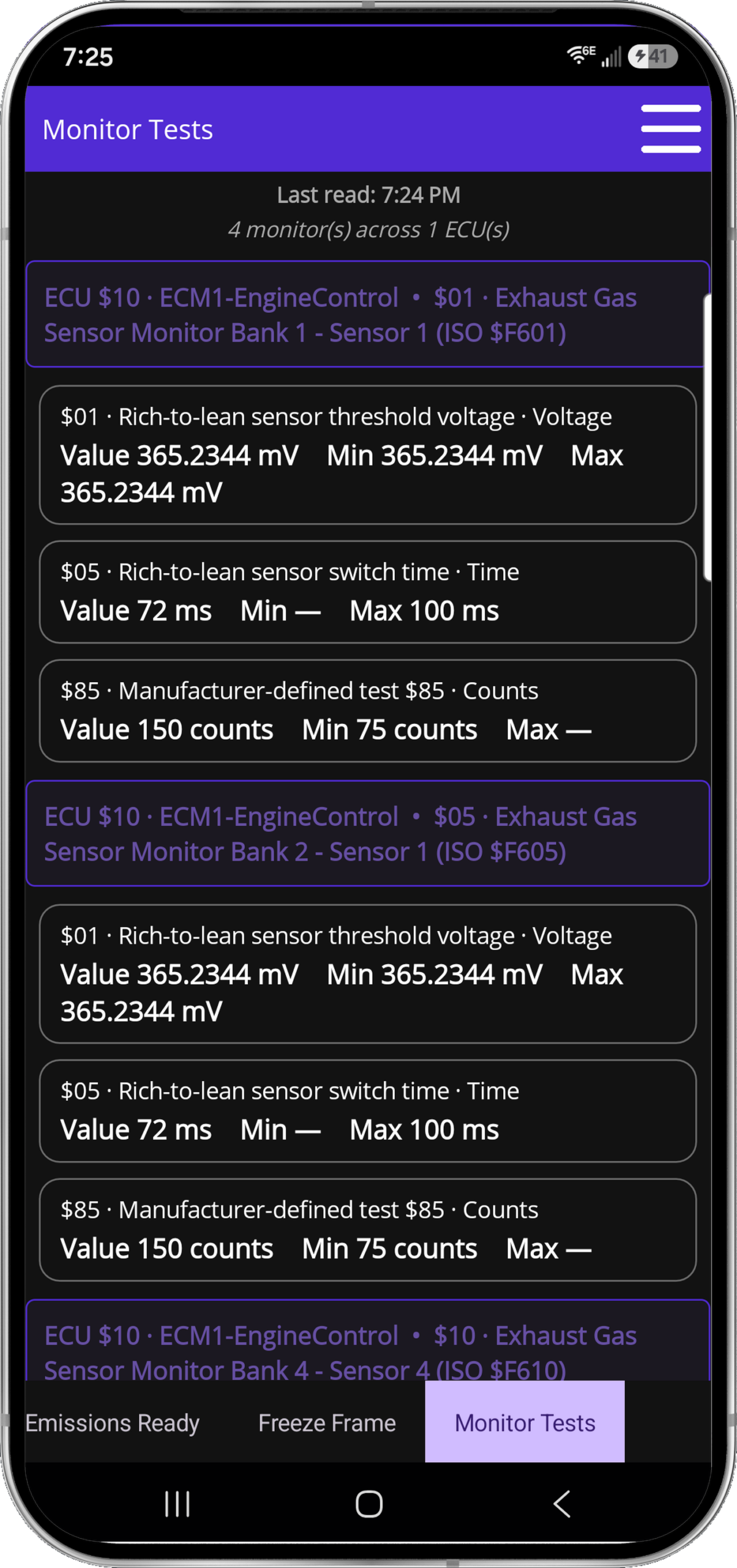
- Read/clear fault codes, freeze frame data, MIL status, vehicle info
- Battery voltage monitoring and oxygen sensor testing
- Compact design (47×46×24mm) — stays out of the way while driving
- 1-year manufacturer warranty
📦 FREE U.S. Shipping
Free shipping to the lower 48 U.S. states. International shipping available for a flat $14.99.
💡 Who PRO Is For
🔧 Mobile Mechanics
Show up with a wireless OBD-II interface and a phone. Leave with a branded diagnostic report the customer can hold. “Here’s what I found, here’s what it means, here’s what I recommend.” That report is why they pay you $100+ for the visit instead of Googling the code themselves.
🏪 Independent Shops
You’re competing against dealerships with $8,000 Snap-on rigs. OBDAI PRO gives you AI-powered diagnostics, professional documentation, and vehicle intelligence at a fraction of the cost. Your reports look better than their scan tool printouts.
🚗 Pre-Purchase Inspectors
Auction history. Title check. Market value. Full diagnostic telemetry. All woven into one branded report. Hand it to the buyer and they know exactly what they’re getting. That report pays for your entire annual PRO subscription on the first job.
🚙 Car Flippers
Know what you’re buying before you bid. Know what’s wrong before you price. Generate a clean diagnostic report for the buyer that builds trust and moves inventory faster. Three or four flips and PRO has paid for itself ten times over.
Built by an Insider, Not a Startup
OBDAI is built by someone with 28 years in emissions testing and automotive diagnostics. Not a Silicon Valley team guessing what mechanics need. Someone who understands the workflows, the compliance headaches, the edge cases, and the technicians who deal with them every day. PRO is priced for seriousness — powerful capability at a fair price. No rent extraction. No legacy gouging. Just the right tool at the right cost.
💰 What Shops Actually Spend on Diagnostics
Professional scan tools cost $300–$12,000 for hardware alone — then $129–$795/year for software subscriptions. Shop management SaaS runs $179–$300/month. CARFAX for shops is $300/month.
OBDAI PRO is a fraction of that. AI-powered diagnostics, branded reports, vehicle intelligence, and a web dashboard — all for less than one month of the software you’re probably already paying for. The GEN 2 scanner is included.
PRO vs Premium — What’s Different?
Premium is impressive. PRO turns every scan into a customer-ready service document.
Premium
- Unlimited ARIA AI
- Vehicle memory — ARIA remembers each car
- PDF diagnostic reports (in-app)
- Web dashboard (view history & reports)
- Diagnostic history & trend analysis
- Visual repair assistant with videos
- Vehicle recalls & comparison tools
- Autonomous PID selection
- EU VIN/Chassis decoding
- Cross-device sync (iOS, Android, Windows)
PRO — Everything Above, Plus:
- Unlimited branded PDF reports with your logo
- ARIA Web Chat — chat from any browser, drop in photos & documents
- Custom shop branding (logo, name, phone, email, address)
- 🆕 Repair cost estimates in reports
- 🆕 Maintenance schedule injection by mileage
- Web report generation & AI editor
- Edit reports with AI — add, remove, adjust from any browser
- Market value lookups (trade-in, private, dealer)
- Title check & auction history (photos, damage, price)
- Warranty status & sales history
- Vehicle intelligence injection into reports (opt-in)
- Shop profile settings on web dashboard
⚙️ Universal Compatibility
✓ Works on Windows, iOS, and Android
One subscription works on all your devices — plus the web dashboard from any browser
✓ GEN 2 Scanner Protocol Support:
- SAE J1850 PWM (41.6Kbaud) — Ford, Mazda
- SAE J1850 VPW (10.4Kbaud) — GM, older vehicles
- ISO9141-2 (5 baud init, 10.4Kbaud) — Asian, European vehicles
- ISO14230-4 KWP (fast/slow init) — European vehicles
- ISO15765-4 CAN (11bit & 29bit, 250-500 Kbaud) — Modern vehicles (2008+)
✓ Compatible Vehicles:
- Gasoline: 1996+ (All OBD-II vehicles)
- Diesel: 2004+
- Hybrids & EVs: Most models with OBD-II port
Ford, Toyota, Honda, Chevrolet, Volkswagen, BMW, Audi, Mercedes, Nissan, Mazda, Subaru, Dodge, Ram, Jeep, Hyundai, Kia, Tesla, and virtually all other brands
🌍 Shipping & Support
Free U.S. Shipping: Free domestic shipping to the lower 48 states. International orders ship for a flat $14.99. Most U.S. orders arrive within 3–5 business days. International orders typically 7–14 business days. Import duties and VAT (where applicable) are customer responsibility.
Instant Software Access: Activate your PRO subscription immediately upon purchase. Start generating branded reports while you wait for your scanner to arrive.
Priority Support: PRO subscribers get priority email support with direct access to the founder. Typical response time: 24 hours or less.
Product images are mockups for illustration purposes only. Tablets, phones, and laptops shown are not included. This bundle includes the GEN 2 wireless OBD-II interface and 1 year of OBDAI PRO (auto-renewing annual subscription, cancel anytime).
Frequently Asked Questions
What’s the difference between Premium and PRO?
Premium is the full personal diagnostic tier — unlimited ARIA, vehicle memory, in-app reports, cross-device sync, and visual repair guides.
PRO is for shops and professionals. Everything in Premium, plus: unlimited branded PDF reports with your shop logo, a web dashboard for generating and editing reports from any browser, and vehicle intelligence (market value, title check, auction history, maintenance schedules, common repairs).
View Premium bundles →
Can I brand reports with my shop name and logo?
Yes. PRO includes a shop profile where you set your business name, logo, phone number, email, and address. Every report you generate carries your branding automatically.
Configure your shop profile in the web dashboard under Settings after activating your PRO license.
How do I access the web dashboard?
After activating PRO, sign in at dashboard.obdai.app with the same account you use in the OBDAI app. The dashboard works in any modern browser — no installation required.
You can view vehicles, review scan sessions, generate reports, and edit them with the AI report editor — all from your desk.
Is there a limit on how many reports I can generate?
No. PRO includes unlimited branded PDF reports. Scan 10 cars a day, generate 10 reports. No caps, no counting.
Premium includes in-app diagnostic reports. PRO adds unlimited branded web reports, editing, and business presentation tools.
What vehicle intelligence is included with PRO?
PRO includes access to vehicle intelligence data you can optionally include in your diagnostic reports:
• Market value — trade-in, private party, and dealer retail estimates
• Title check — title brand, salvage status, odometer discrepancies
• Auction history — sale prices, damage photos, condition grades
• Warranty status — remaining factory and extended coverage
• Maintenance schedules — manufacturer-recommended service intervals
• Common repairs — known issues for the specific year/make/model
You choose what to include on a per-report basis.
Can I use PRO on my phone and the web dashboard at the same time?
Yes. Your PRO subscription works across all your devices — iOS, Android, Windows — plus the web dashboard from any browser. Scan in the field on your phone. Generate and edit reports from your desk. Everything syncs to the same account.
Is PRO a business expense I can write off?
OBDAI PRO is a professional diagnostic tool purchased for business use. Most shop owners and independent mechanics can deduct professional tools and software subscriptions as a business expense. Consult your accountant or tax advisor for your specific situation.
It depends on how you purchased, not just the PRO plan name.
App-store purchases: Manage billing and subscription changes through the Apple, Google, or Microsoft account used to purchase.
Prepaid licenses: Amazon and direct OBDAI purchases before June 6, 2026 provide one year from activation (365 days), do not auto-renew, and receive expiration reminders.
Direct OBDAI subscriptions purchased on or after June 6, 2026: Manage recurring billing at My Account → Subscriptions with your OBDAI store login and password, separate from your app login.
Find your purchase type and where to manage it →
Start Running Your Shop on OBDAI PRO
1 Year of PRO — Branded Reports, Web Dashboard, Vehicle Intelligence
GEN 2 professional scanner & free U.S. shipping included
Then less than $23/mo, billed annually • Cancel anytime
Only logged in customers who have purchased this product may leave a review.











Robert LaFeir (verified owner) –