



Supported Adapter Types
Short answer: OBDAI works with any ELM327-based OBD2 adapter. Connection options vary by platform — Bluetooth LE works everywhere, Classic Bluetooth and WiFi work on some platforms, USB is Windows-only.
Platform Compatibility Matrix
| Connection Type | Windows | Android | iOS |
|---|---|---|---|
| Bluetooth LE (BLE) | ✅ | ✅ | ✅ |
| Classic Bluetooth | ✅ | ✅ | ❌ |
| WiFi | ✅ | ✅ | ✅ |
| USB / Serial | ✅ | ❌ | ❌ |
Bluetooth LE (BLE 4.0+)

The recommended connection method for most users.
- Works on all platforms (Windows, Android, iOS)
- No manual pairing required — OBDAI discovers devices automatically
- Fast and reliable for real-time diagnostics
- Most modern adapters use BLE
Adapters labeled “Bluetooth 4.0” or “BLE” use this protocol.
Classic Bluetooth
Older protocol still common in budget adapters.
- Windows: Supported via Serial Port Profile. Requires manual pairing in Windows Settings first, then connect via COM port in OBDAI. Classic Bluetooth Setup Guide (Windows)
- Android: Supported via Scan & Pair. OBDAI discovers bonded Classic Bluetooth devices automatically.
- iOS: Not supported. Apple restricts Classic Bluetooth Serial Port Profile to MFi-certified accessories. Use a BLE adapter instead.
Adapters labeled “Bluetooth 2.0” or just “Bluetooth” (without “LE” or “4.0”) typically use Classic Bluetooth.
WiFi
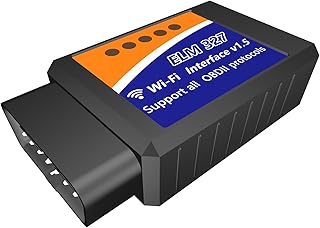
Works across all platforms with some tradeoffs.
- Universal compatibility (Windows, Android, iOS)
- Limitation: Mobile devices lose internet access while connected to the adapter’s WiFi network
- Windows advantage: If your PC has both WiFi and Ethernet, you can stay online while connected to the adapter
WiFi adapters create their own network (usually named something like “WiFi_OBDII” or “CLKDevices”). Connect to that network in your device settings, then open OBDAI.
USB / Serial (COM Port)
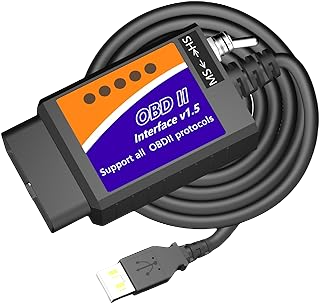
Windows-only. Most reliable connection for desktop use.
- Direct wired connection — no wireless interference
- Also works for Classic Bluetooth adapters paired via Windows (they appear as COM ports)
- Requires selecting the correct COM port in OBDAI
Which Adapter Should I Buy?
For maximum compatibility: Get an adapter that supports both BLE and Classic Bluetooth.
For Windows desktop use: USB adapters are rock-solid reliable.
Already have an adapter? It probably works. Try connecting — OBDAI supports the vast majority of ELM327-based devices on the market.
Our Gen 1 and Gen 2 adapters support both BLE and Classic Bluetooth, so they work with any connection method on any platform (except USB, which requires a wired adapter).
Related Articles
Questions? support@obdai.app