
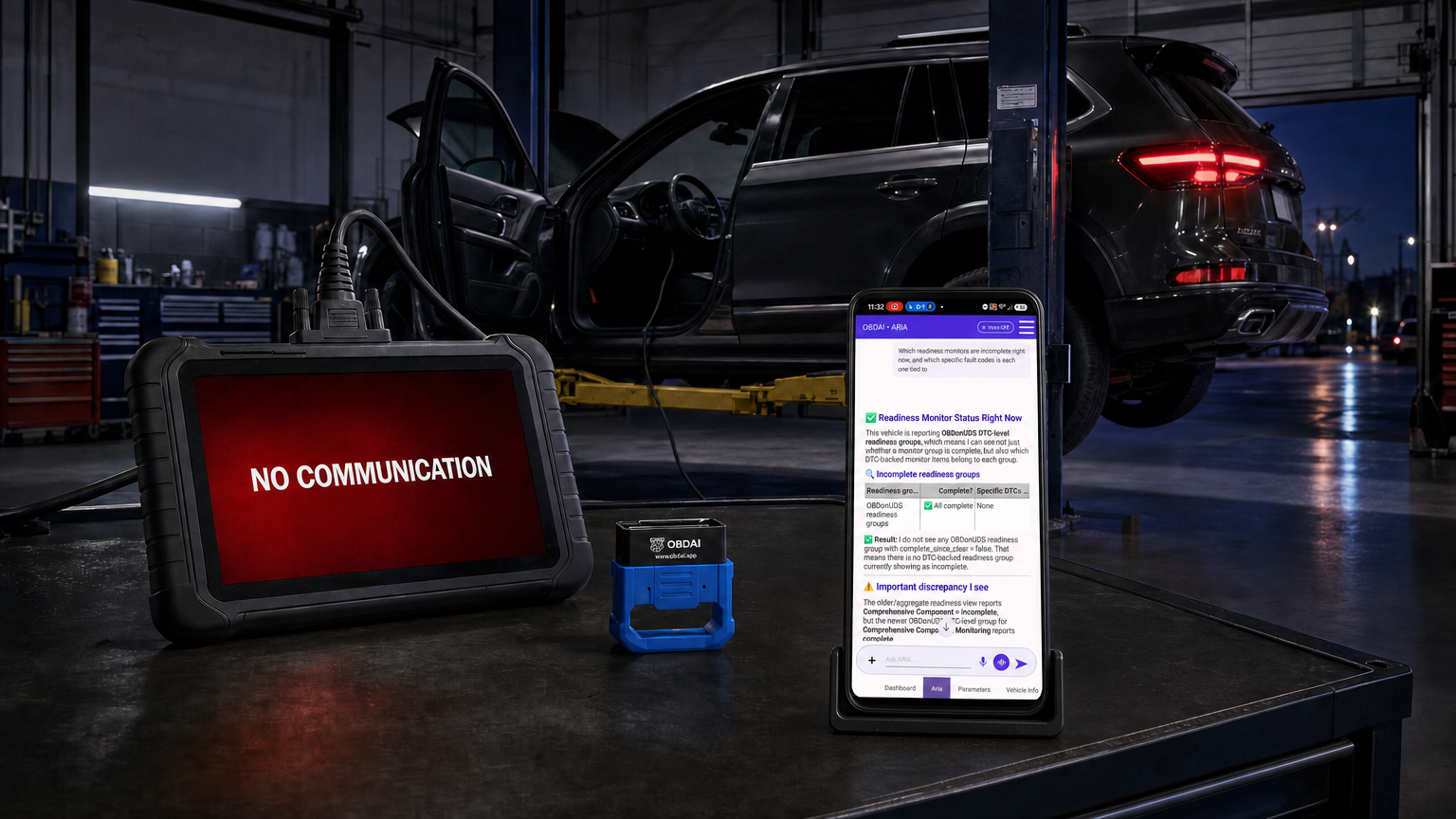
Some newer vehicles need a different standardized diagnostic conversation. A scan tool can fail to connect—or connect and still leave useful emissions evidence unread.
Updated October 21, 2026 · Includes OBDAI 3.0
WHAT YOU CANNOT READ, YOU CANNOT USE A “No Communication” message stops the diagnosis immediately. Missing data can be harder to recognize: the tool connects, but you cannot see which monitor is holding readiness incomplete, how a fault’s test behaved, or the conditions captured when it occurred.
For decades, standardized OBD-II diagnostics have given technicians a common way to retrieve emissions-related codes, live readings, freeze frames, readiness, monitor-test results, and vehicle information. That familiar path uses SAE J1979, often called classic OBD or J1979-1.
SAE J1979-2, known as OBDonUDS, carries standardized emissions diagnostics through Unified Diagnostic Services. A vehicle can have the same diagnostic connector and still need requests that an older tool does not know how to send.
The change also adds diagnostic detail. It gives a compatible tool ways to move from an incomplete readiness group to the individual monitors inside it, retrieve fault-specific test records, and collect more snapshots of the conditions surrounding faults.
The transition is underway in 2025 and 2026 vehicles. Examples of documented J1979-2 implementations include specific configurations of these familiar models:
Model names are examples, not a promise that every engine, trim, market, or production configuration uses the same protocol. A documented J1979-2 implementation does not by itself establish that the vehicle refuses classic OBD, or that OBDAI has physically tested that configuration.
This is a nationwide transition for light- and medium-duty vehicles with combustion engines, including hybrids, sold anywhere in the United States. Model year 2027 is the required transition point under the federal OBD framework. EPA’s federal OBD rule incorporates CARB’s OBD requirements and expressly addresses vehicles not certified in California. The standard’s California regulatory origins do not limit its reach to California vehicle sales.
Ford’s public OBDonUDS information is available through the National OBD Clearinghouse Vehicle OEM Database. California BAR also documents specific early vehicles and inspection-system communication limitations in its OBD Test Reference.
A tool that sends only classic OBD requests may receive no answer from an OBDonUDS vehicle. But a successful connection does not establish that the tool retrieves all the standardized evidence the vehicle offers.
A professional tool may enter manufacturer-specific UDS sessions and read the parameters its supplier defined for that vehicle. Another tool may use functions shared with WWH-OBD, a related emissions protocol, and retrieve some standardized information. Neither behavior alone demonstrates support for J1979-2’s additional readiness and fault records.
In our testing, a well-regarded professional scan tool connected to the vehicle and retrieved data, yet missed key OBDonUDS readiness and diagnostic records that were available.
Connecting to the vehicle is only part of the job. What the tool can retrieve matters.
Consider a vehicle that remains not ready after a repair. A broad group result tells you where readiness is incomplete. The J1979-2 group lookup can identify the monitors in that group and report their individual status. That helps focus the next investigation on the test that has not completed, rather than repeating a whole drive cycle without knowing what remains unfinished.
The DTC identifiers in that response name the monitors; their presence does not mean every listed fault is active. The status information is essential. A test that has not completed, a pending failure, and a confirmed fault call for different next steps.
Supported fault-specific test records and snapshots add evidence about the test and its operating conditions. They help a technician investigate the problem and check a repair. They do not replace the manufacturer’s enable criteria, circuit tests, or physical inspection.
Read the practical explainer: How OBDonUDS Helps You Diagnose Faults and Resolve Readiness
OBDonUDS shipped with OBDAI 2.7 and continues in 3.0. It requires a compatible vehicle, the OBD BLE GEN2 adapter, and PRO.
OBDAI detects the protocol and retrieves supported emissions evidence from responding ECUs: fault codes and status, live readings, readiness, snapshots, vehicle information, readiness-group details, and supported extended fault records. Availability depends on what the vehicle exposes.
Version 3.0 adds native F501 readiness fallback when usable F401 readiness is unavailable. Missing readiness does not stop the other diagnostics.
ARIA has access to the captured readiness-group and extended fault data and can retrieve and explain it when you ask. The web dashboard also has an Extended DTC Data panel. You can examine the records there or let ARIA guide you through their meaning; you do not need to know the terminology or find a particular panel first.
Just ask, “How do I get this car ready?” or “Help me diagnose this.” Our recorded demonstration shows ARIA separating an unfinished EVAP group from a completed-but-failed catalyst test. The companion explainer includes the actual app captures and answers.
ARIA 3.0 also helps plan a connected road test, choose readings, and review recorded data second by second. Premium and PRO include timed reading selections, check-ins, and watches while the app stays open and connected. Those features can help investigate relevant operating conditions; they do not guarantee that a vehicle monitor will run or that a vehicle will pass inspection.
Watch the complete OBDonUDS demonstration, or watch the 90-second demonstration. These demonstrations show the OBDonUDS path; current app screens and features have continued to develop.
Before relying on a tool for a newer vehicle, ask whether it explicitly supports SAE J1979-2—and whether that includes the additional readiness and fault information, not simply a UDS connection.
The practical disadvantage of missing that data is straightforward: you have fewer ways to identify the unfinished test, investigate the failure, reproduce its conditions, and verify what changed after the repair.
OBDonUDS is included with OBDAI PRO for supported vehicles using GEN2. Use the latest OBDAI app on iOS, Android, or Windows. See the current GEN2 + PRO plan and terms. Existing licence holders can activate their licence here.
