
We just launched something we’ve been working toward since day one: a web dashboard for OBDAI subscribers.
Starting today, every OBDAI Premium subscriber can sign in at dashboard.obdai.app and access their complete diagnostic history from any browser — laptop, tablet, or desktop. Scan your car with OBDAI, view everything on the web.
Running a shop or doing mobile diagnostics? OBDAI PRO is live — branded repair estimates, vehicle intelligence, and a full report editor built right into this dashboard. Jump to what PRO unlocks →
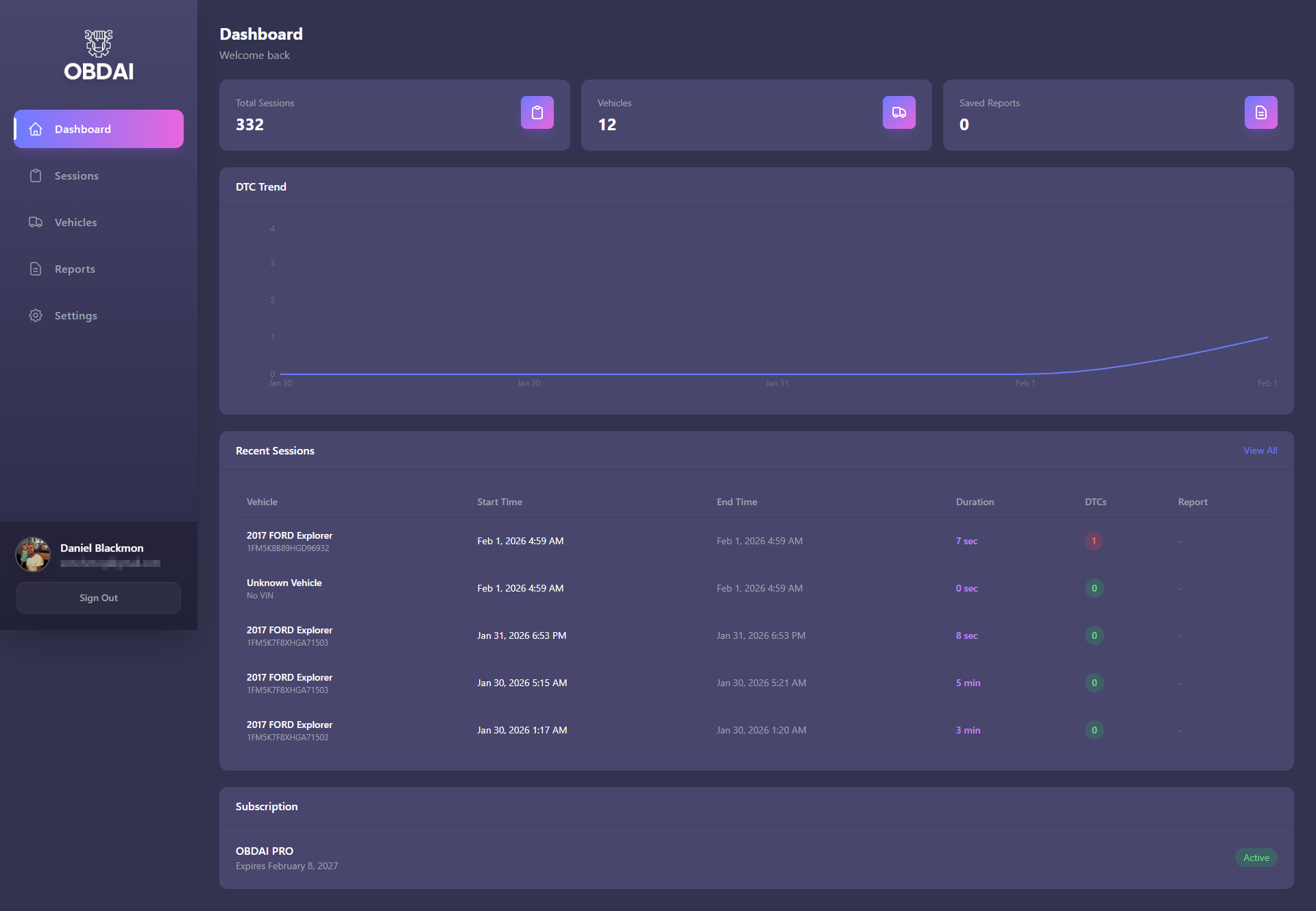
The dashboard home screen gives you the big picture at a glance. Total scan sessions, vehicles tracked, DTC trends over time, your subscription status, and your most recent sessions with quick access to dive deeper. Everything OBDAI has captured across every scan you’ve ever run — in one place.
The dashboard isn’t just for viewing — it’s the launchpad for OBDAI’s professional tools.
Premium subscribers: ARIA now generates professional PDF diagnostic reports from any conversation in the app. One tap turns a diagnostic into a branded document you can hand to a customer. Read the full breakdown: One Proven Fix for the $10,000/Year Mistake Killing Your Diagnostic Revenue
PRO subscribers: The dashboard is where you generate branded repair estimates — with real parts pricing, labor breakdowns, maintenance schedules, and a signature line. Scan in the app, open the dashboard, click Estimate Report, and ARIA builds a professional document with your shop branding. The whole workflow takes 5 minutes. Read how it works: Stop Scanning. Start Closing. How OBDAI PRO Turns a $0 Diagnostic Into a Signed Estimate
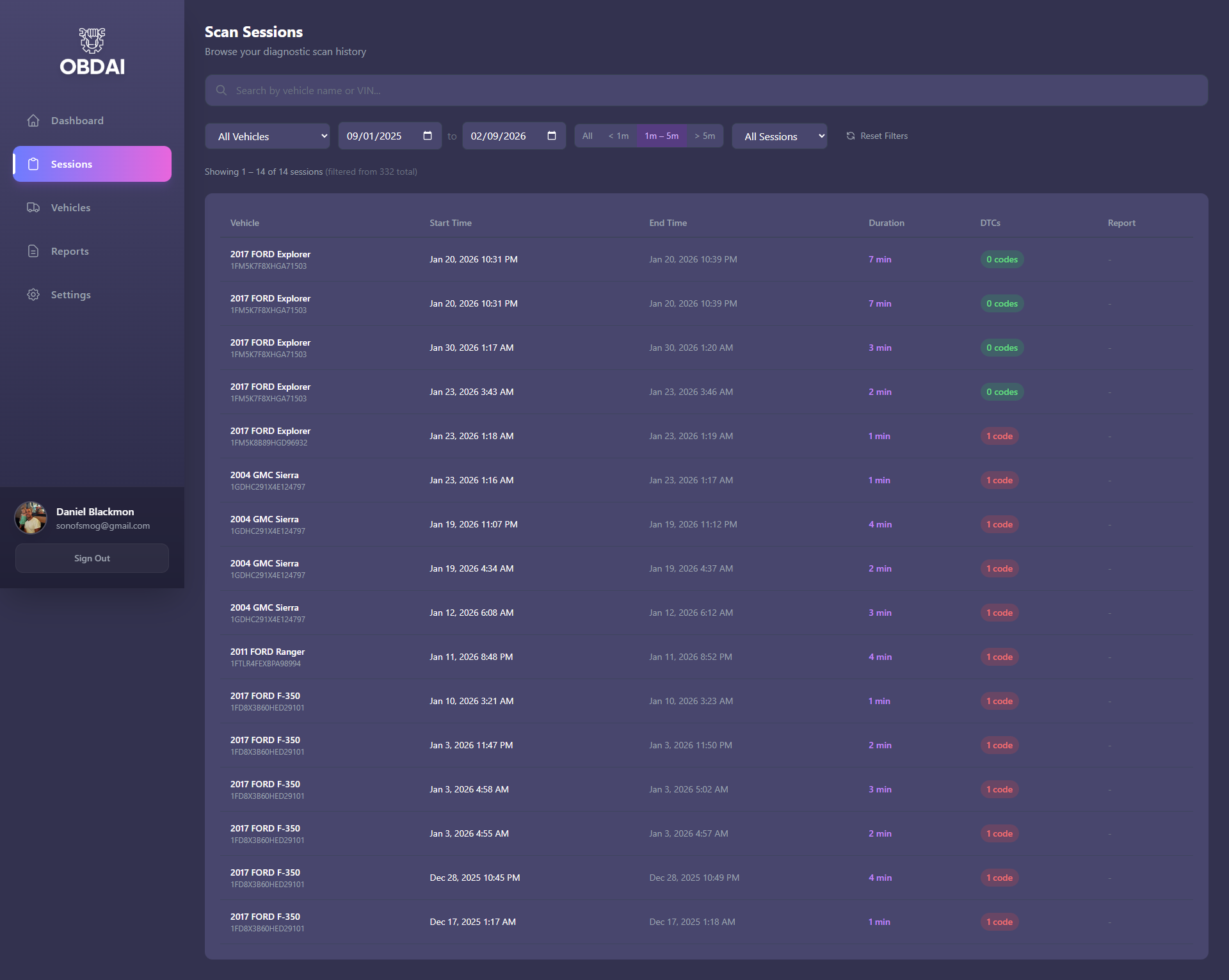
The sessions view lets you browse your entire scan history. Search by vehicle name or VIN, filter by date range, and use duration buckets to focus on the sessions that matter. Each session shows the vehicle, timestamps, scan duration, and how many trouble codes were detected.
This is your diagnostic logbook — except it builds itself automatically every time you scan.
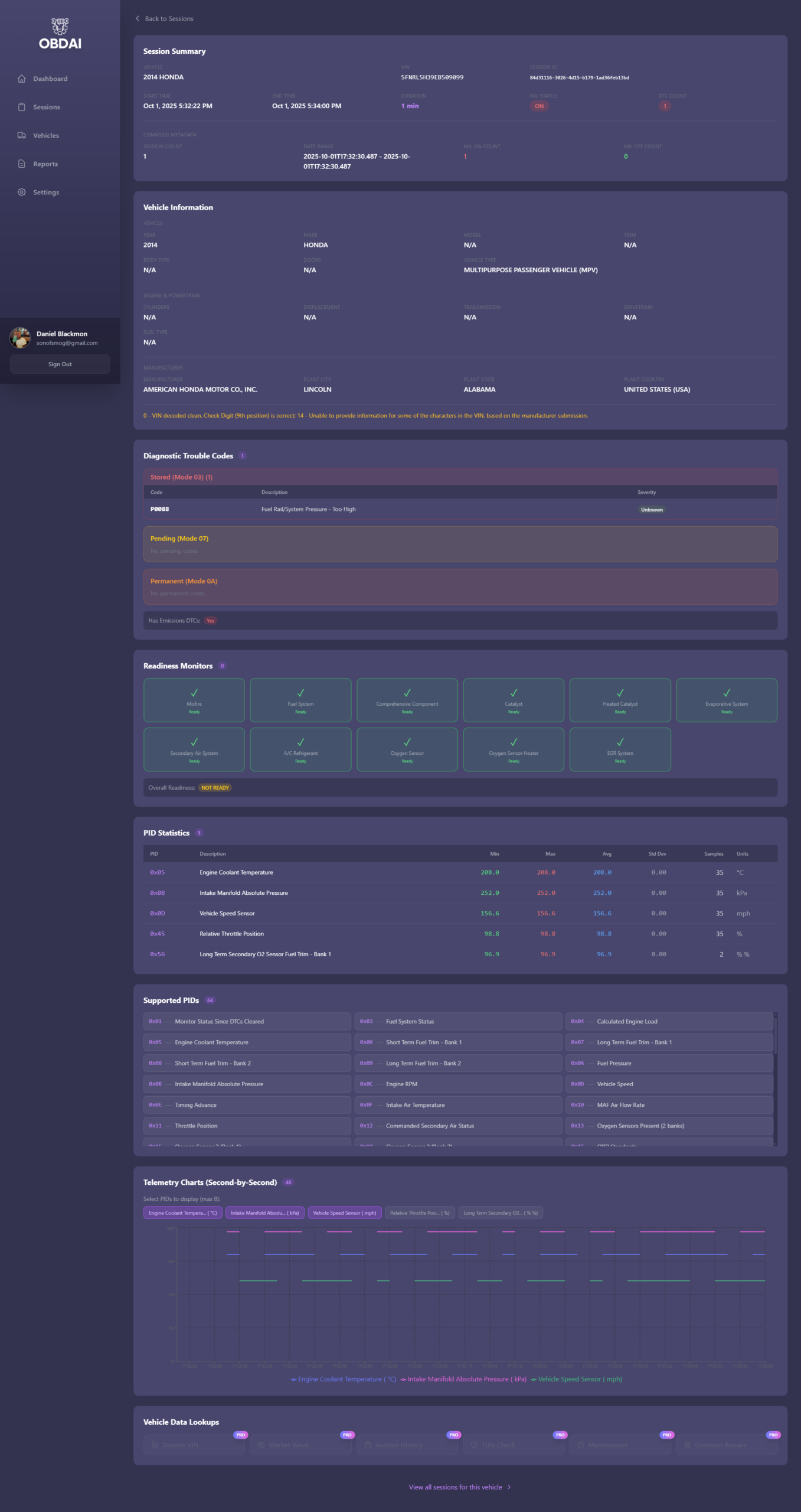
Click into any session and you get the full diagnostic picture.
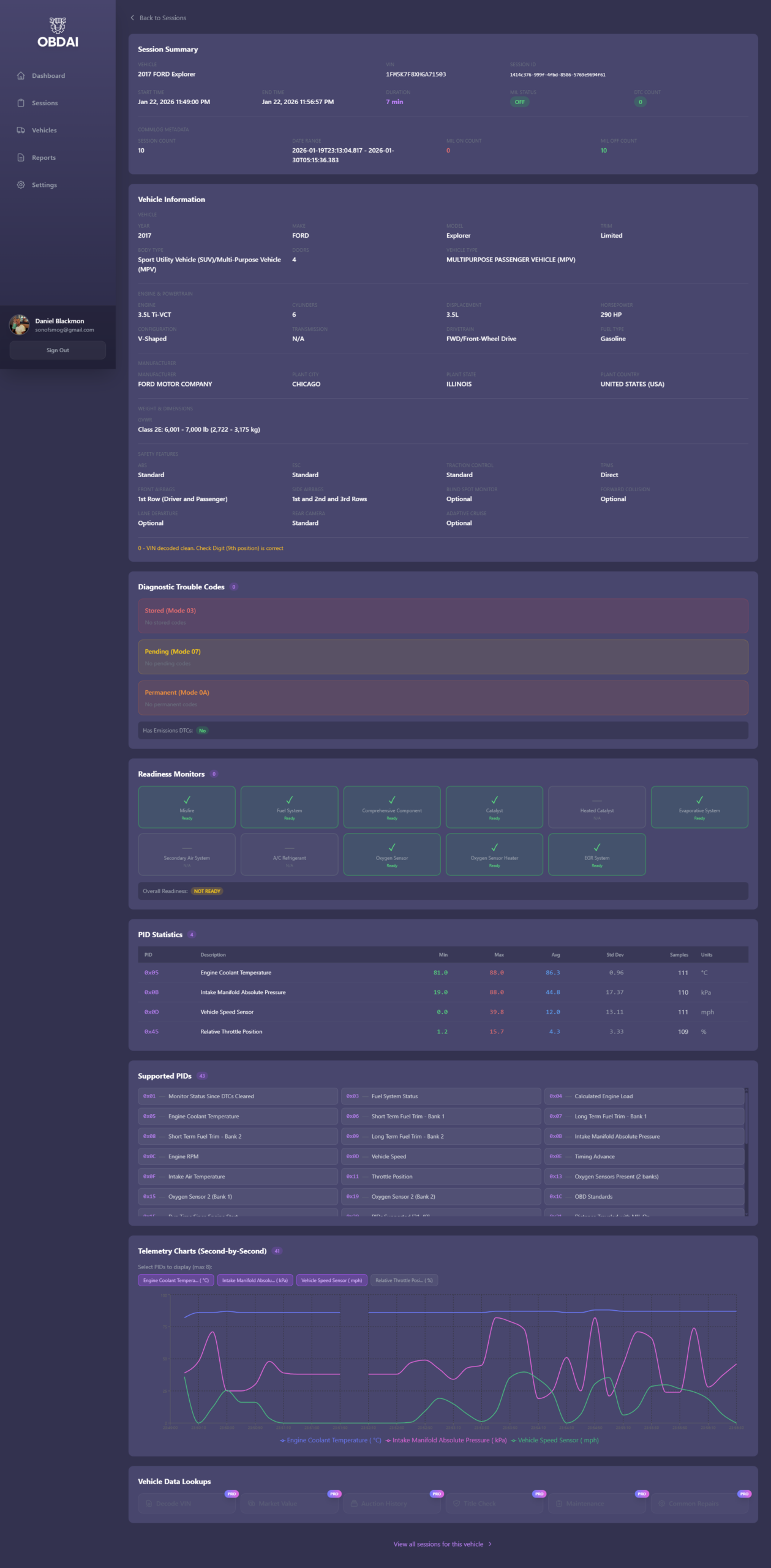
Vehicle Information — Automatic NHTSA VIN decoding pulls year, make, model, trim, engine displacement, horsepower, drivetrain, body type, safety features, and weight class. All from the VIN your vehicle reports during the scan.
Diagnostic Trouble Codes — Stored, pending, and permanent codes with descriptions and severity ratings. Broken out by OBD-II mode so you know exactly where each code stands — not just that a code exists, but whether it’s active, intermittent, or permanent.
Readiness Monitors — Every emissions monitor status at a glance. Ready, not ready, or not available. If you’re prepping for an emissions inspection or running a drive cycle, this is the screen that tells you where you stand.
PID Statistics — Min, max, average, and standard deviation for every parameter captured during the session. Engine coolant temperature, intake manifold pressure, vehicle speed, throttle position — real statistical analysis of your vehicle’s behavior, not just a snapshot.
Telemetry Charts — Second-by-second data plotted over time. Select up to 5 PIDs and watch how your vehicle performed throughout the entire scan session. This is the data that separates OBDAI from every code reader on the market.
Everything we previewed when the dashboard launched? It shipped.
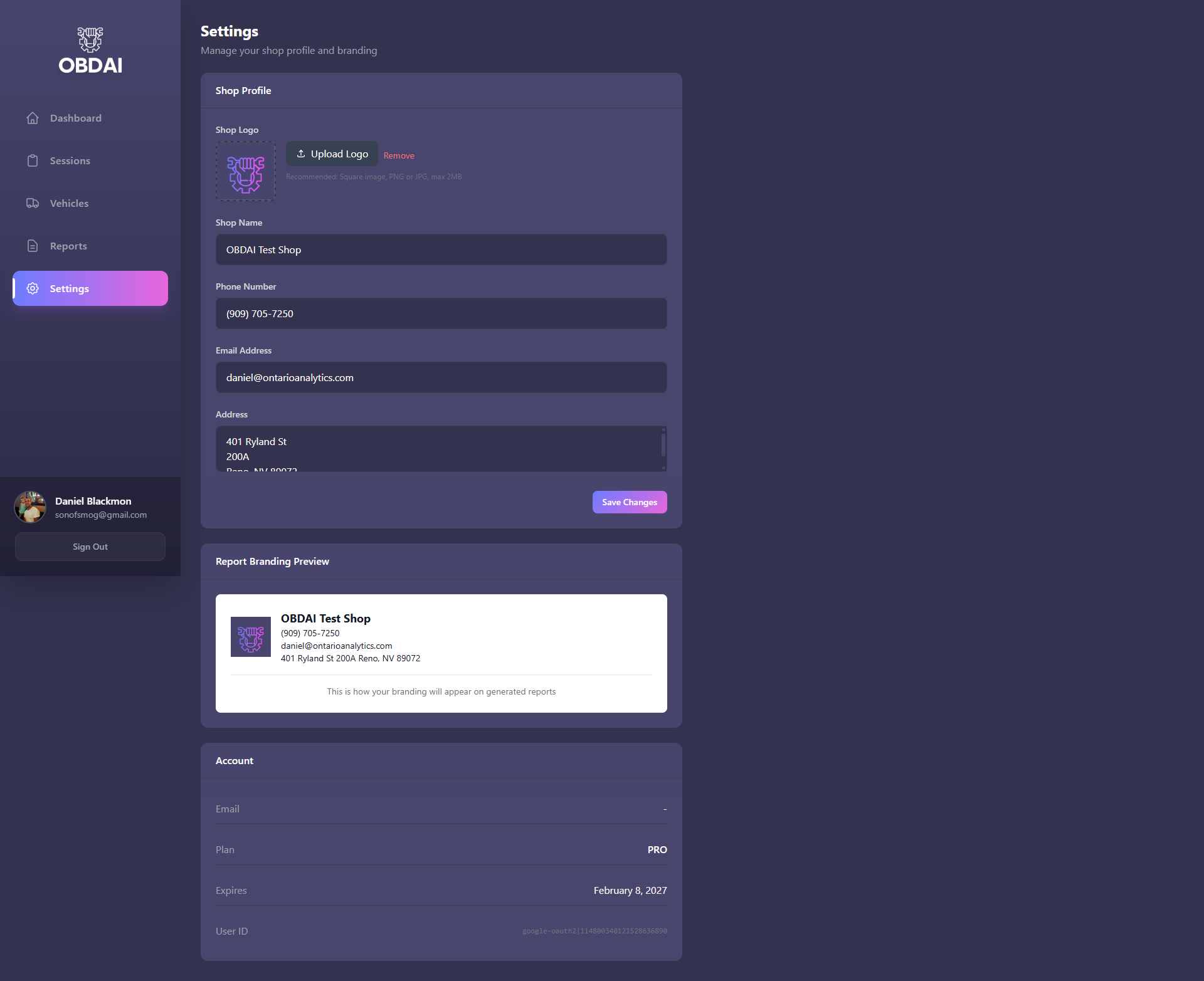
OBDAI PRO is now available with the full professional toolkit built on this dashboard:
PRO is built for mobile mechanics, independent shops, used car dealers, and professional diagnosticians who need to turn scans into billable deliverables.
See the full PRO estimate workflow →
Want to see the dashboard in action? Daniel walks through the entire workflow in our two-part video tutorial:
Part 1: From Connection to PDF Report in 15 Minutes — Connecting your scanner, running a drive test with ARIA, and generating your first diagnostic report.
Part 2: Web Dashboard & Custom Reports — Navigating the dashboard, viewing session data, generating custom reports, and using PRO features like the estimate builder and branded PDFs.
If you’re an OBDAI Premium subscriber on any platform — iOS, Android, or Windows — you already have access.
No setup. No import. No waiting. Your diagnostic history is waiting for you right now.
Not a subscriber yet? Get OBDAI and start scanning. Your diagnostic data starts building from day one, and every scan you run makes your dashboard more valuable.
The OBDAI Web Dashboard is available now at dashboard.obdai.app for all Premium subscribers.
